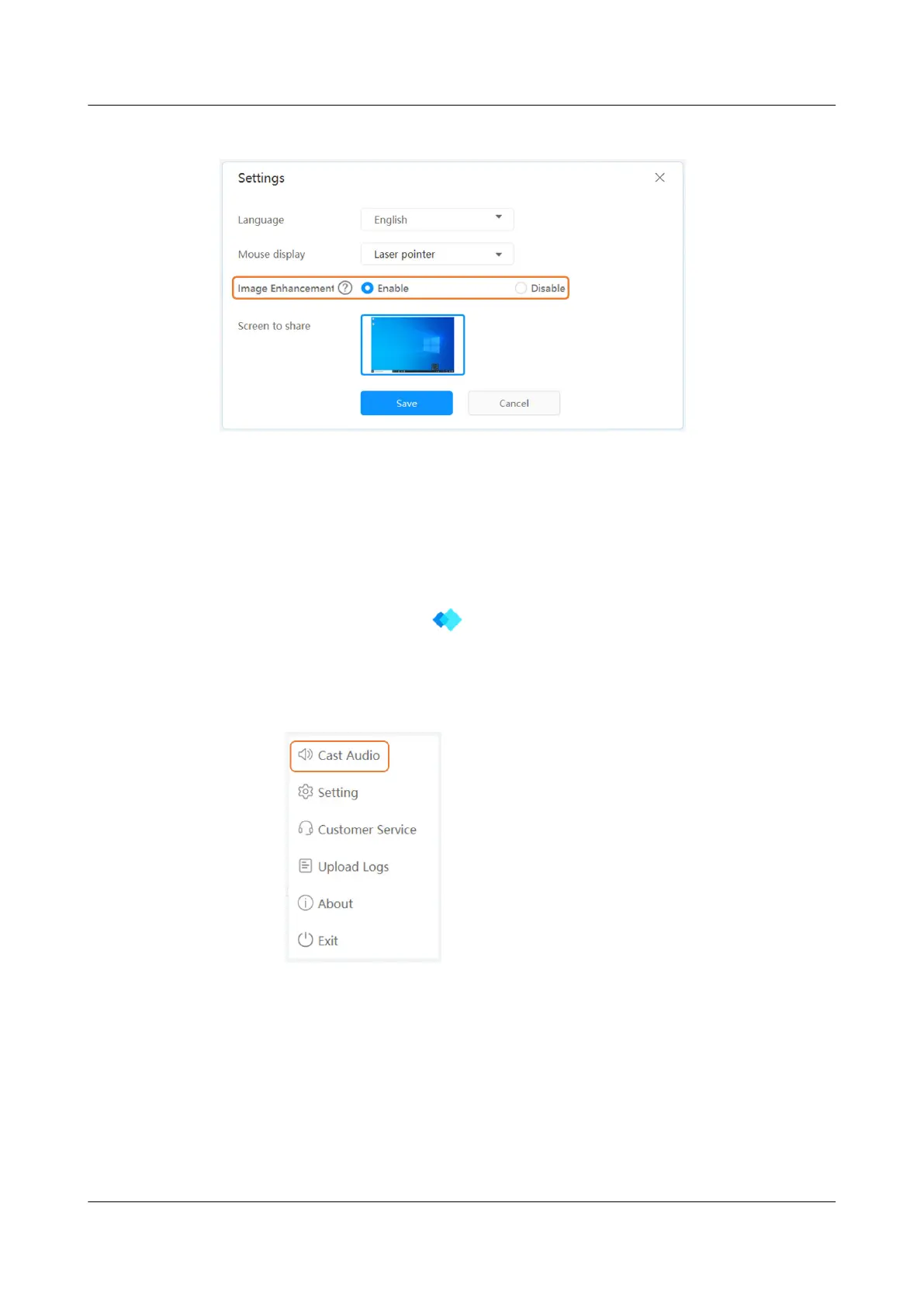
Figure 2-2 Image enhancement
Casting Audio
The IdeaShare Key can deliver sound to the endpoint through the audio output
settings of the computer or the software driver.
● In the sound settings of the computer, set Choose your output device to the
corresponding output device of the endpoint.
● If the IdeaShare Key software is installed on the computer, check whether the
IdeaShare Key software
has audio output in the lower right corner of the
Windows computer (or the upper right corner of the macOS computer).
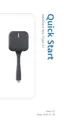
– If there is no sound, click Cast Audio, as shown in Figure 2-3.
Figure 2-3 Cast Audio
– To mute audio, click Stop Audio, as shown in Figure 2-4.
IdeaShare Key (Type-A)
User Guide 2 How Do I Use the IdeaShare Key?
Issue 01 (2023-03-30) Copyright © Huawei Technologies Co., Ltd. 6


 To Next Page