EasyManua.ls Logo

Huawei LYO-L01 - User Manual

Huawei LYO-L01
20 pages
Print Icon
To Next Page IconTo Next Page
Loading...
1
Your phone at a glance
Before you start, let's take a look at your new phone.
Press and hold the power button to turn your phone on or off.
Question and Answer IconNeed help?

Do you have a question about the Huawei LYO-L01 and is the answer not in the manual?

Summary

Your phone at a glance

Getting started

Open the battery cover

Step-by-step guide to opening the phone's battery compartment.

Insert SIM and microSD cards

Instructions for inserting Micro-SIM and optional microSD cards into the device.

Install the battery

Guide on how to correctly install the device's battery.

Install the battery cover

Steps for securely attaching the phone's battery cover.

Locking and unlocking the screen

Calling and messaging

Camera usage

Internet connection setup

Data backup procedures

Phone manager functions

Personal information security

Legal notice

Trademarks and permissions

Details on product trademarks, logos, and usage rights.

Third-Party software statement

Huawei's policy regarding third-party software and applications included with the device.

Disclaimer

Device safety guidelines

Electronic device operation

Precautions for using the device safely and avoiding interference.

Medical equipment interference

Information on potential interference with medical devices like pacemakers and hearing aids.

Hearing protection

Advice on preventing hearing damage when using a headset at high volumes.

Areas with flammables and explosives

Traffic security

Operating environment precautions

Child and accessory safety

Child safety

Precautions regarding children's use of the device and potential hazards.

Accessory usage guidelines

Recommendations for using approved accessories with the device.

Charger safety

Safety instructions for using the device charger and preventing electrical hazards.

Battery safety measures

Critical safety instructions for handling, charging, and disposing of the device battery.

Cleaning and maintenance

Regulatory compliance

Emergency calls

Information on the availability and reliability of emergency calling features.

Environmental protection

Guidelines for responsible disposal and recycling of the device and accessories.

FCC compliance statements

Regulatory compliance information, including SAR values and FCC rules.

Summary

Your phone at a glance

Getting started

Open the battery cover

Step-by-step guide to opening the phone's battery compartment.

Insert SIM and microSD cards

Instructions for inserting Micro-SIM and optional microSD cards into the device.

Install the battery

Guide on how to correctly install the device's battery.

Install the battery cover

Steps for securely attaching the phone's battery cover.

Locking and unlocking the screen

Calling and messaging

Camera usage

Internet connection setup

Data backup procedures

Phone manager functions

Personal information security

Legal notice

Trademarks and permissions

Details on product trademarks, logos, and usage rights.

Third-Party software statement

Huawei's policy regarding third-party software and applications included with the device.

Disclaimer

Device safety guidelines

Electronic device operation

Precautions for using the device safely and avoiding interference.

Medical equipment interference

Information on potential interference with medical devices like pacemakers and hearing aids.

Hearing protection

Advice on preventing hearing damage when using a headset at high volumes.

Areas with flammables and explosives

Traffic security

Operating environment precautions

Child and accessory safety

Child safety

Precautions regarding children's use of the device and potential hazards.

Accessory usage guidelines

Recommendations for using approved accessories with the device.

Charger safety

Safety instructions for using the device charger and preventing electrical hazards.

Battery safety measures

Critical safety instructions for handling, charging, and disposing of the device battery.

Cleaning and maintenance

Regulatory compliance

Emergency calls

Information on the availability and reliability of emergency calling features.

Environmental protection

Guidelines for responsible disposal and recycling of the device and accessories.

FCC compliance statements

Regulatory compliance information, including SAR values and FCC rules.

Overview

This document describes a smartphone, detailing its functions, technical specifications, usage, and maintenance.

Device Overview and Initial Setup

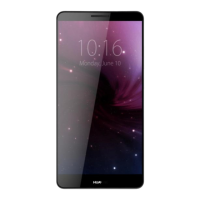
The phone features a camera, front camera with front flash, microphone, headset jack, dual color temperature flash, light sensor, earpiece, volume button, power button, easy key, return button, home button, recent button, speaker, microphone, and a micro USB port. To turn the phone on or off, press and hold the power button.

Initial setup involves opening the battery cover, inserting a micro-SIM card and an optional microSD card, installing the battery, and then installing the battery cover. It is crucial to power off the phone before inserting or removing the micro-SIM card.

Locking and Unlocking the Screen

To lock the screen, press the power button. The screen will automatically lock after a period of inactivity. To turn the screen on when it's off, press the power button. To unlock, slide your finger in any direction on the screen. From the locked screen, you can flick up from the bottom to quickly launch commonly used applications without fully unlocking the device.

Calling and Messaging

To make a call, touch the phone icon to use the dialer. Calls can also be initiated by touching a phone number in contacts, messages, emails, web pages, or other sources. To send a text or multimedia message, touch the message icon. Multimedia messages support saving photos, audio clips, videos, and other attachments.

Camera Functionality

To use the camera, touch the camera icon. Frame the desired scene, and the camera will automatically focus. Alternatively, touch the screen to focus on a specific object, then touch the capture icon to take a photo. Swiping left or right on the camera screen allows switching between different capture modes, including a time-lapse mode for recording slow transformations.

Internet Connection

The device supports internet access via Wi-Fi or mobile data. To access network settings, swipe down from the status bar to open the notification panel. From there, you can touch the mobile data icon to turn mobile data on or off. To configure Wi-Fi, touch and hold the Wi-Fi icon to go to the Wi-Fi settings screen, where you can turn on Wi-Fi and connect to a network.

Data Management

For backing up data, touch the settings icon, then the menu icon to open the settings menu. You can configure backup frequency and select data types such as contacts, messages, and photos to back up by following the on-screen instructions.

Phone Management

The phone manager allows scanning the phone for potential risks with one touch, performing one-touch optimization, or manually cleaning system storage and managing applications. Options include cleaning system trash, setting harassment filters, activating power saving mode, and managing application notification permissions.

Personal Information and Data Security

To protect personal and confidential information, several measures are recommended:

  • Keep the device in a safe area to prevent unauthorized use.
  • Set a screen lock with a password or unlock pattern.
  • Periodically back up personal information from the SIM/USIM card, memory card, or device memory. Delete or move personal information when switching devices.
  • Delete suspicious messages or emails from strangers without opening them to avoid viruses.
  • Avoid websites that pose security risks when browsing the internet.
  • Set passwords for Wi-Fi tether or Bluetooth services and turn them off when not in use.
  • Install or upgrade device security software and regularly scan for viruses.
  • Obtain third-party applications from legitimate sources and scan them for viruses.
  • Install security software or patches from Huawei or third-party providers.
  • Be aware that some applications transmit location information, which may be shared with third parties.
  • The device may provide detection and diagnostic information to third-party application providers to improve their products and services.

Copyright © Huawei Technologies Co., Ltd. 2016. All rights reserved. Trademarks include HUAWEI, Android™ (Google Inc.), LTE (ETSI), Bluetooth® (Bluetooth SIG, Inc.), and Wi-Fi® (Wi-Fi Alliance). Huawei disclaims any warranty or liability for third-party software and applications, including their functions, performance, and content availability. The product is based on the open-source Android™ platform, with modifications by Huawei, which may affect compatibility with standard Android functions or third-party software.

Disclaimer

All contents of this manual are provided "AS IS." Huawei disclaims all warranties, express or implied, including merchantability and fitness for a particular purpose, regarding the accuracy, reliability, or contents of this manual. Huawei is not liable for any special, incidental, indirect, or consequential damages, or loss of profits, business, revenue, data, goodwill, savings, or anticipated savings. The maximum liability of Huawei arising from the use of the product is limited to the amount paid by customers for the product.

Privacy Policy

For information on how personal information is protected, refer to the privacy policy at http://consumer.huawei.com/privacy-policy.

Safety Information

  • Electronic device: Do not use the device where prohibited or where it may cause danger or interference with other electronic devices.
  • Interference with medical equipment: Follow hospital rules. Wireless devices may affect hearing aids or pacemakers. Maintain a minimum distance of 15 cm between the device and a pacemaker.
  • Protecting hearing: Avoid listening at high volumes for long periods. Lower headset volume to a safe level. High volumes while driving can cause distraction and increase accident risk.
  • Flammables and explosives: Do not use or store the device near flammables or explosives (e.g., gas stations, oil depots, chemical plants).
  • Traffic security: Observe local laws. Do not use the device while driving. Concentrate on driving, use hands-free accessories, and pull over safely to make or answer calls. RF signals may affect vehicle electronic systems. Do not place the device over an airbag. Do not use the device in an aircraft or immediately before boarding.

Operating Environment

  • Avoid dusty, damp, dirty environments, and magnetic fields to prevent circuit malfunctions.
  • Do not use during thunderstorms.
  • Ideal operating temperatures are 0°C to 35°C; storage temperatures are -20°C to 45°C. Extreme temperatures can damage the device.
  • Avoid direct sunlight exposure for prolonged periods.
  • Protect from rain and moisture to prevent fire or electrical shock.
  • Keep away from heat sources (heater, microwave, stove, water heater, radiator, candle).
  • Do not place sharp metal objects near the earpiece or speaker.
  • Stop using the device if it overheats. Prolonged skin exposure to an overheated device can cause low-temperature burns.
  • Do not use the camera flash directly in eyes of people or pets.
  • Do not touch the device's antenna to maintain communication quality.
  • Do not allow children or pets to bite or suck the device or accessories.
  • Observe local laws and regulations, and respect privacy.

Child's Safety

  • Comply with child safety precautions. Detachable parts can be a choking hazard.
  • The device is not intended for children; adult supervision is required.

Accessories

  • Using unapproved or incompatible power adapters, chargers, or batteries can cause fire, explosion, or other hazards.
  • Use only accessories approved by the manufacturer for this model. Unapproved accessories may void the warranty, violate regulations, and be dangerous.
  • Use only HUAWEI AC Adapters/Power Supplies: HW-050100E01, HW-050100B01.

Charger Safety

  • Socket-outlets for pluggable devices should be easily accessible.
  • Unplug the charger when not in use.
  • Do not drop or impact the charger.
  • Stop using a damaged power cable or loose plug immediately to prevent electric shocks, short circuits, or fire.
  • Do not touch the power cord or charger with wet hands.

Battery Safety

  • Do not connect battery poles with conductors (keys, jewelry) to prevent short circuits, injuries, or burns.
  • Keep the battery away from excessive heat and direct sunlight. Do not place it on or in heating devices. Batteries may explode if overheated.
  • Do not modify, remanufacture, insert foreign objects, or immerse the battery in liquids to prevent fire, explosion, or other hazards.
  • If the battery leaks, avoid direct contact with skin or eyes. Flush with clean water and consult a doctor if contact occurs.
  • Stop using the device and remove the battery if it deforms, changes color, or overheats during charging or storage.
  • Do not put batteries in fire.
  • Dispose of used batteries according to local regulations.
  • Do not allow children or pets to bite or suck the battery.
  • Do not smash, pierce, or expose the battery to high external pressure.
  • Do not drop the device or battery.
  • Replace the battery if standby time shortens significantly.

Cleaning and Maintenance

  • Keep the device and accessories dry. Do not use external heat sources to dry.
  • Avoid extreme heat or cold.
  • Avoid collisions.
  • Stop using the device, applications, and disconnect all cables before cleaning.
  • Do not use chemical detergents, powders, or other chemical agents. Use a clean, soft, dry cloth.
  • Do not place magnetic stripe cards near the device.
  • Do not dismantle or remanufacture the device. Contact an authorized service center for repairs.
  • If the screen is broken, stop using the device immediately and contact an authorized service center.

Emergency Calls

Emergency call availability depends on network quality, service provider policy, and local regulations. Do not rely solely on the device for critical communications.

Environmental Protection

Device and accessories should not be disposed of with household garbage. Support proper collection and recycling. The SAR limit adopted by Europe is 2.0 W/kg (averaged over 10 grams of tissue).

FCC Regulatory Compliance

  • Body worn operation: The device complies with RF specifications when used near the ear or at 1.5 cm from the body. Accessories should not contain metal components.
  • Certification information (SAR): The device meets FCC requirements for exposure to radio waves. The SAR limit in the USA is 1.6 W/kg (averaged over one gram of tissue).
  • HUAWEI LYO-L01 SAR values: 0.63 W/kg (at the ear), 0.94 W/kg (worn on the body), 1.41 W/kg (Wi-Fi hotspot function).
  • FCC statement: The device complies with Part 15 of the FCC Rules. It is designed to provide reasonable protection against harmful interference. Any changes or modifications not expressly approved by Huawei Technologies Co., Ltd. could void the user's authority to operate the equipment.

Huawei LYO-L01 Specifications

General IconGeneral
BrandHuawei
ModelLYO-L01
CategoryCell Phone
LanguageEnglish

Related product manuals