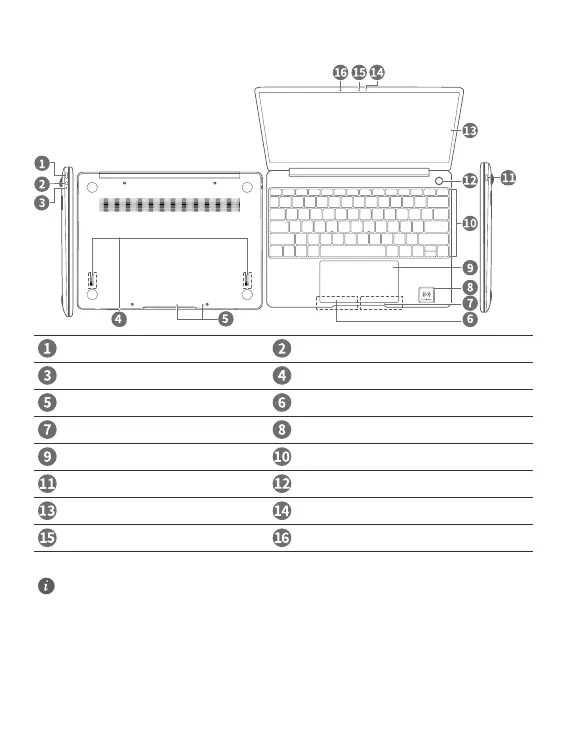
Getting to know your MateBook 13
Power port Headset jack
Charging indicator Speakers
Microphone Left key
Right key Huawei Share Icon *
Touchpad Keyboard
USB-C port One touch power button
Screen Camera indicator
Camera Hidden ambient light sensor
* Huawei Share Icon
l Do not tear or damage the Huawei Share icon on the MateBook 13, otherwise, Huawei Share
OneHop will not work properly.
l Huawei Share OneHop is available only on certain HUAWEI or HONOR phones with NFC
capabilities. For further information on compatible phone models, visit the ofcial website.
l The NFC detection area varies with different HUAWEI or HONOR phone models, but it is
commonly located near the rear camera.
English
1













 To Next Page