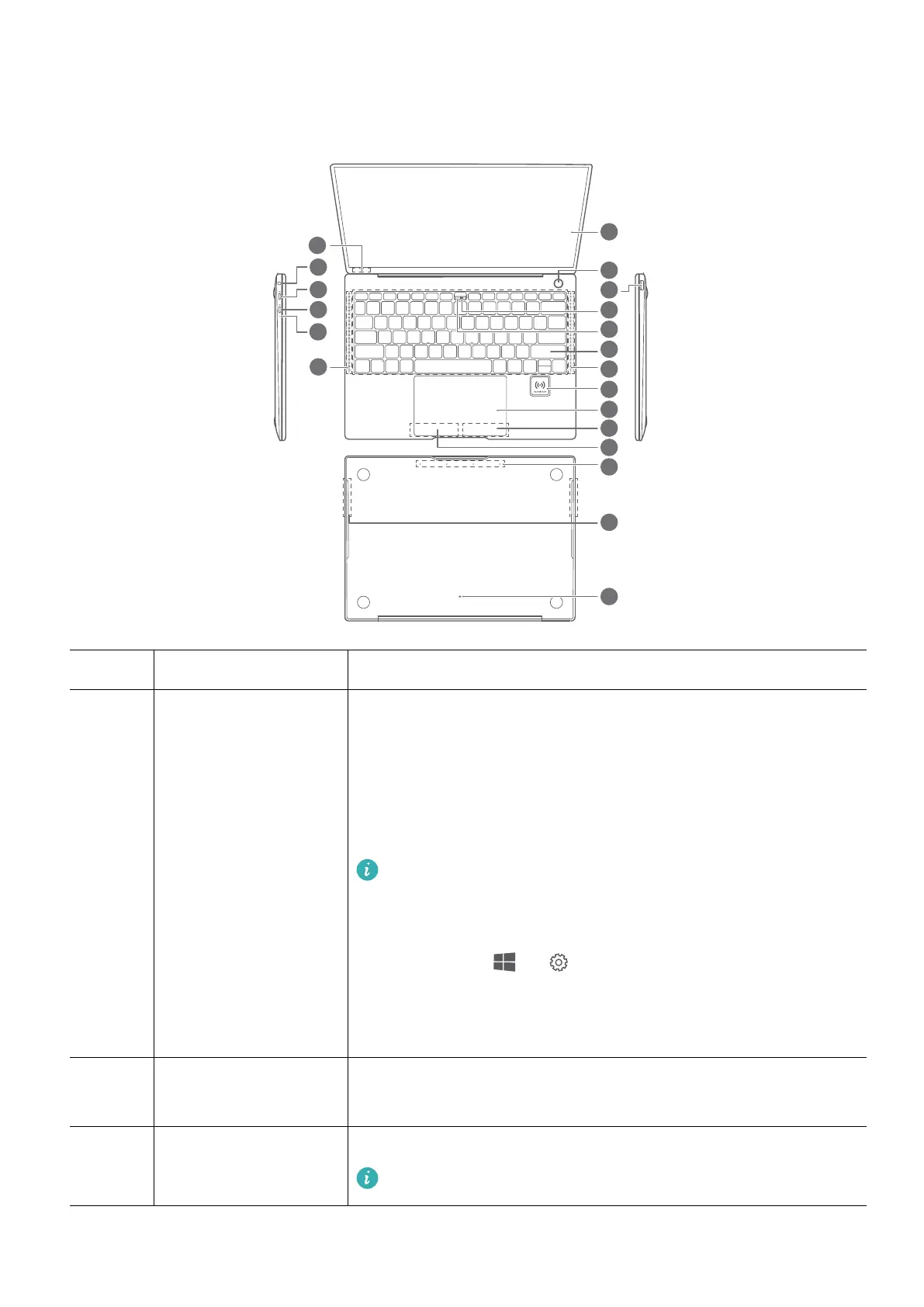
Getting to know your computer
1 Touchscreen Touch the screen to operate your computer.
2 One touch power
button
You only need to press the power button with the nger of
which the ngerprint has been enrolled to power on your
computer and unlock the screen. Safe and easy.
l Press to wake the screen.
l Press to unlock the screen.
l When you power on your computer for the rst time,
follow the onscreen instructions in the setup wizard to
add a ngerprint. You can also add a ngerprint by
touching > on the desktop and going to the
account login settings.
l You can add up to 10 ngerprints for each account.
3 USB-A port Connect to devices that are compatible with USB-A, such as a
USB printer or digital camera.
4 Recessed camera Take photographs, record videos, or hold a video conference.
For more information, see "Recessed camera".
2














 To Next Page