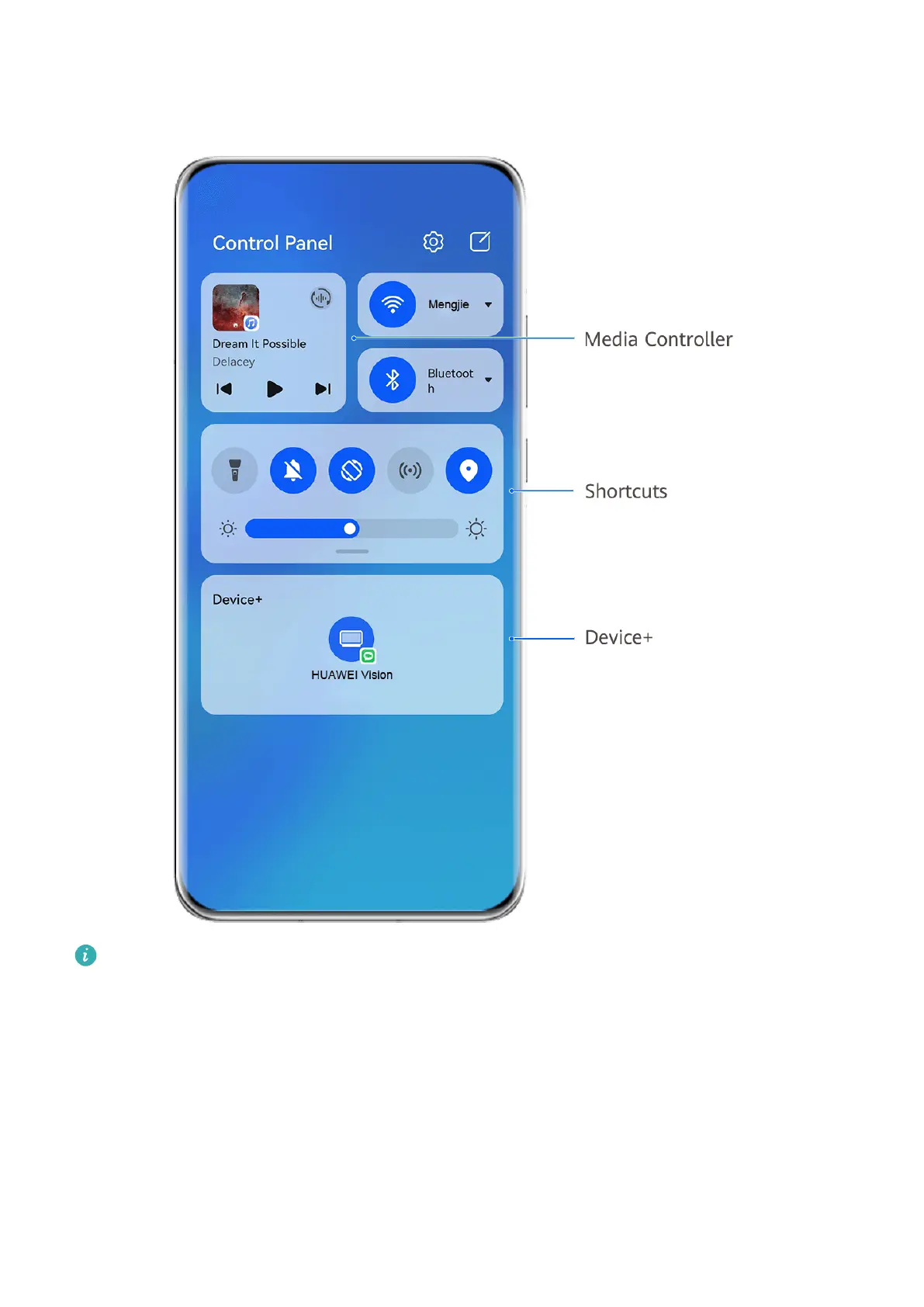
Swipe down from the upper right edge of the screen to display Control Panel where you can
access the following features with ease:
The gures are for reference only.
• Media controls: To control media playback and switch between recently used media apps
and media devices (such as Visions and Bluetooth headsets).
• Shortcut controls: To enable, disable, or set frequently used features.
• Device+: Automatically discovers nearby devices logged in to the same HUAWEI ID and
allows you to link them so they work together as one.
• Device controls: To manage and control devices and scenes that have been added in AI
Life.
Use Shortcut Switches
Essentials
7



 To Next Page