Highlights
7
You can also set up Touchplus by opening
Settings
and touching
Touchplus
under
Smart assistance
.
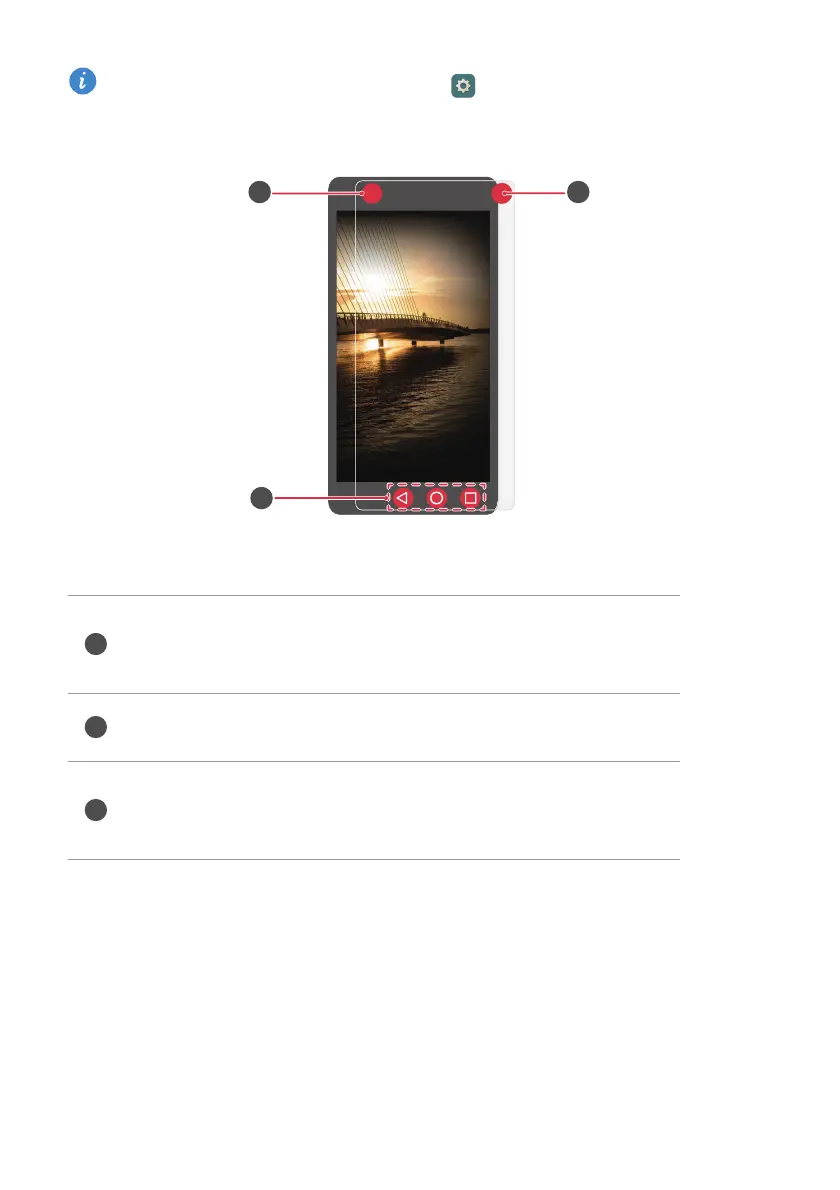
Upper left corner: double-tap this zone to start or stop
recording audio (default). You can customize this zone's
shortcut later from Touchplus settings.
Film navigation keys: these keys replace the virtual navigation
bar, which is hidden.
Upper right corner: double-tap this zone to take a photo
(default). You can customize this zone's shortcut later from
Touchplus settings.
Downloaded from www.vandenborre.be



 To Next Page