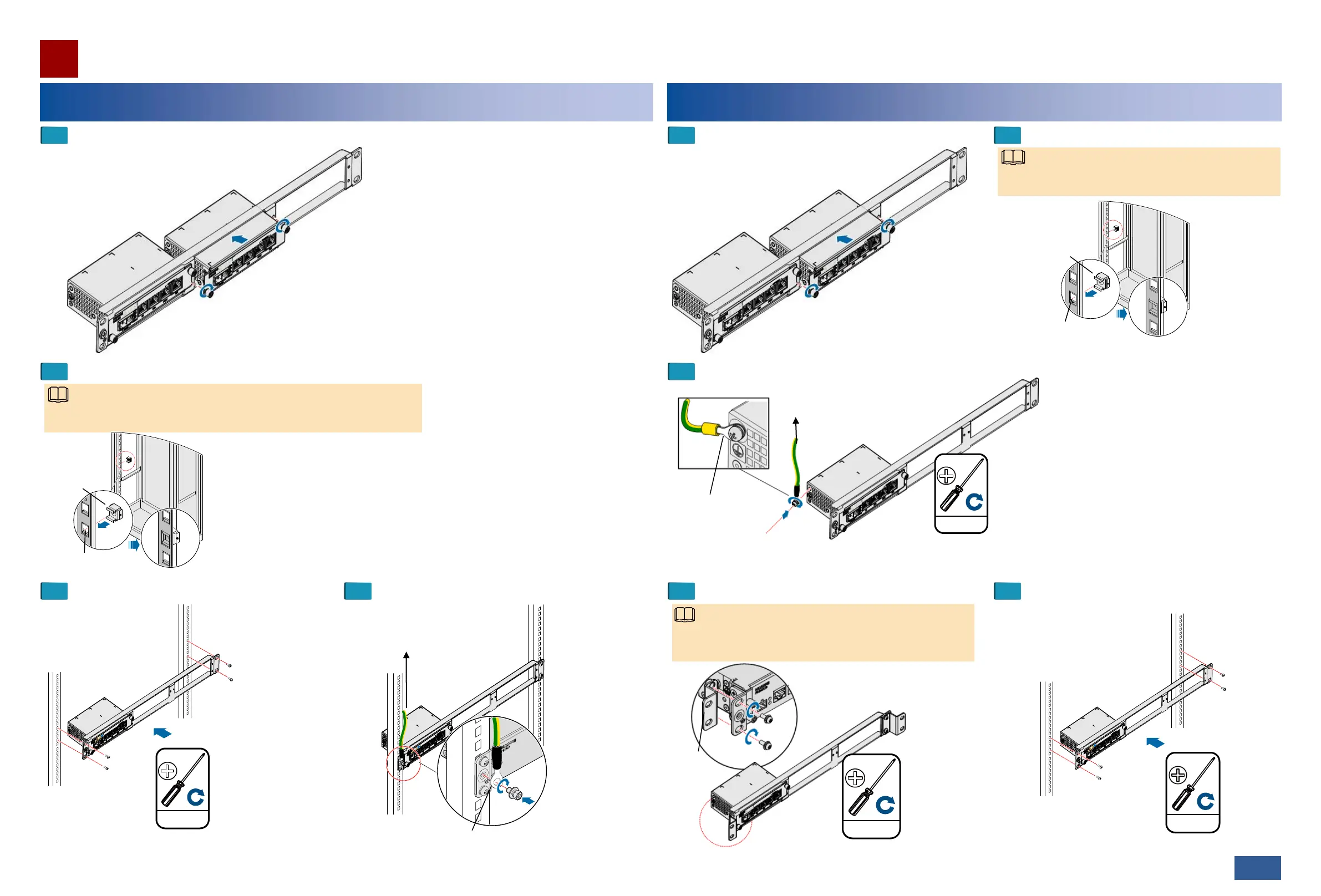
Installing the PI in an ETSI Cabinet
Installation Guide
26/27 >>
When you fix the floating nuts, allow a heat dissipation space of at
least 25 mm above and below the PI.
Floating nut
2.0±0.2 N·M
M6
Attach the PGND cable to a
ground point on a cabinet column
or to an indoor ground bar.
Install the PGND cable with the ground screw (M4).
Mounting hole
Attach the PGND cable to a ground point
on a cabinet column or to an indoor
ground bar.
Install the PGND
cable with the ground
screw (M4).
1.4±0.14 N·M
M4
Mounting
ears
Before installing the chassis in an ETSI cabinet, adjust the
holes for installing mounting ears based on the cabinet type.
3.0±0.3 N·M
M6
2.0±0.2 N·M
M6
NOTE
NOTE
Installing the PI in a 19-Inch Cabinet
Insert the PI into a slot on the auxiliary mounting bracket and tighten the
captive screws on the mounting ears.
1
2
Fix the floating nuts.
3 4
Install the chassis in the cabinet. Install the PGND cable.
Insert the PI into a slot on the auxiliary mounting
bracket and tighten the captive screws on the
mounting ears.
1
3
Install the PGND cable.
Mounting hole
Floating nut
When you fix the floating nuts, allow a heat dissipation
space of at least 25 mm above and below the PI.
NOTE
2
Fix the floating nuts.
4 5
Install the mounting ears. Install the chassis in the cabinet.
06


 To Next Page