4
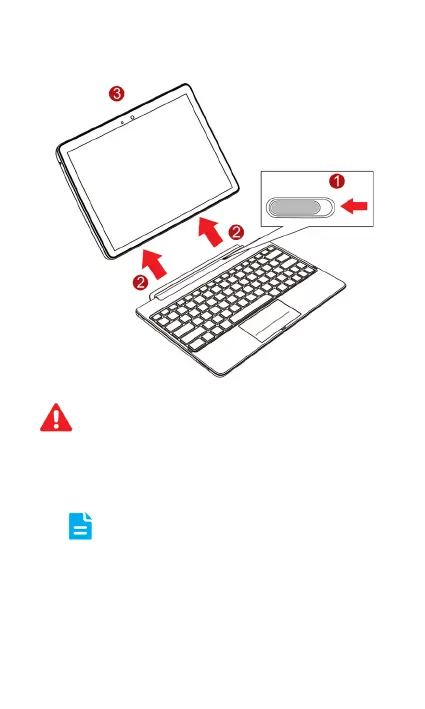
Removing HUAWEI MediaPad 10 FHD
1. Use one hand to move the hinge lock to the left and
fix the location of the dock.
2. Use the other hand to move MediaPad 10 upward
and remove it from the dock.
When you move MediaPad 10 and the dock after
installation, consider them as a whole and hold the bottom
of the dock. Do not attempt to move them by grabbing
MediaPad 10 only.
Before you remove MediaPad 10, set the hinge lock to
the left to unlock the hinge.


 To Next Page