2
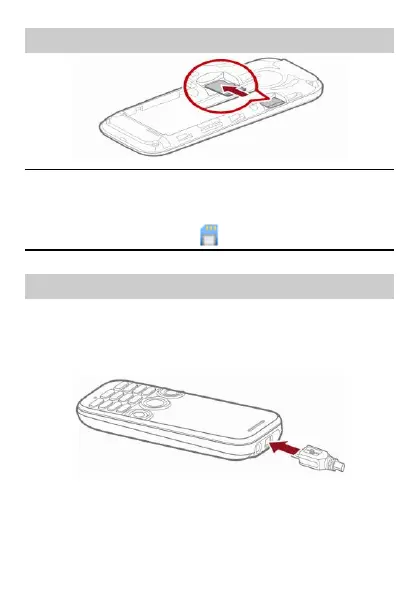
2 Installing the microSD Card
To prevent your phone or the microSD card from being damaged, ensure
that you install the microSD card properly. After the microSD card is installed
on your phone, the phone displays in the upper area of the screen.
3 Charging the Battery
1.
Connect the charger to the charger connector of the phone.
2.
Connect the charger to a power socket. Charging starts and the charging
icon is displayed.
3.
When the charging is complete, disconnect the charger from the phone.



 To Next Page