Need help?
Do you have a question about the Huawei U8800-51 and is the answer not in the manual?
Important safety guidelines for correct mobile phone usage, including handling, environment, and prohibitions.
Copyright and usage restrictions for the document and proprietary software.
Provides a disclaimer for the manual's content, excluding express or implied warranties.
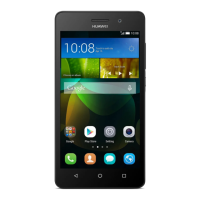
Diagram and labels identifying key physical components of the mobile phone.
Basic operations like powering on/off and locking the screen using specific buttons.
Step-by-step guide to inserting the SIM card into the mobile phone.
Procedure for connecting the phone to a charger and initiating the charging process.
Instructions on how to lock the screen manually or automatically and how to unlock it.
Instructions for inserting a microSD card to expand phone memory.
How to connect the phone to a PC and use the microSD card for file transfer.
Methods for initiating phone calls using the dialer, contacts, or call log.
How to accept or decline an incoming phone call using on-screen gestures.
Guide to setting up and managing conference calls with multiple participants.
Instructions on activating Airplane mode to disable wireless connections.
Steps to launch and access the phone's contact list.
Detailed steps to create a new contact entry with name and details.
Creating and managing contact groups for organized communication.
How to open and close the onscreen keyboard in various applications.
How to adjust keyboard preferences and input methods.
Features and procedures for text and multimedia messaging.
Guide to sending messages with attached media like photos or audio.
Overview of using the Email application for managing email accounts.
Connecting to mobile data networks.
Connecting to wireless networks.
Methods for sharing the phone's internet connection via USB or Wi-Fi hotspot.
Steps to launch the web browser application.
Saving and accessing web page addresses for quick access.
Guide to pairing the phone with other Bluetooth devices like headsets.
How to share files like pictures and music using Bluetooth.
Using the camera to capture still images and video clips.
Browsing, viewing, and editing photos and videos.
How to select and play music tracks from the library.
Instructions for scanning for channels and fine-tuning FM radio reception.
Steps to create a new Google account for the phone.
Managing email accounts and sending/receiving emails.
Communicating in real-time using Google Talk.
Instructions for obtaining driving, transit, or walking directions.
Viewing and searching for videos on YouTube.
Instructions for downloading and installing apps from the Market.
Adding, removing, and configuring accounts for data synchronization.
How to adjust background data and auto-sync options.
Creating and managing events, meetings, and appointments.
Using the Clock for time, alarms, and weather.
Instructions for setting a new alarm.
Instructions to create new folders within the file manager.
Instructions to set the phone's date, time, and time zone manually.
Adjusting screen brightness and timeout settings.
Configuring ringtones, message tones, and volume levels.
Securing the phone with SIM card PIN and screen lock patterns.
Information about resetting the phone to factory default settings.
Answers to Frequently Asked Questions about phone usage and features.
General warnings and precautions for safe device operation.
Guidelines for safe device usage while driving and in vehicles.
Terms and conditions of the limited warranty for Huawei products.
 General
| Network | GSM / HSPA |
|---|---|
| 2G bands | GSM 850 / 900 / 1800 / 1900 |
| 3G bands | HSDPA 900 / 2100 |
| GPRS | Yes |
| EDGE | Yes |
| SIM | Mini-SIM |
| OS | Android 2.2 (Froyo), upgradable to 2.3 (Gingerbread) |
| GPU | Adreno 205 |
| Card slot | microSD, up to 32 GB |
| Main Camera | 5 MP, autofocus |
| Video | 720p@30fps |
| Loudspeaker | Yes |
| 3.5mm jack | Yes |
| WLAN | Wi-Fi 802.11 b/g/n, hotspot |
| Bluetooth | 2.1, A2DP |
| GPS | Yes, with A-GPS |
| Radio | FM radio |
| USB | microUSB 2.0 |
| Colors | Black |
| Status | Available |
| Speed | HSPA |
| Type | TFT capacitive touchscreen |
| Resolution | 480 x 800 pixels |
| Internal | 512 MB RAM |
| Sensors | Accelerometer, proximity |
| Battery | Li-Ion 1400 mAh |


 To Next Page