Step 2:
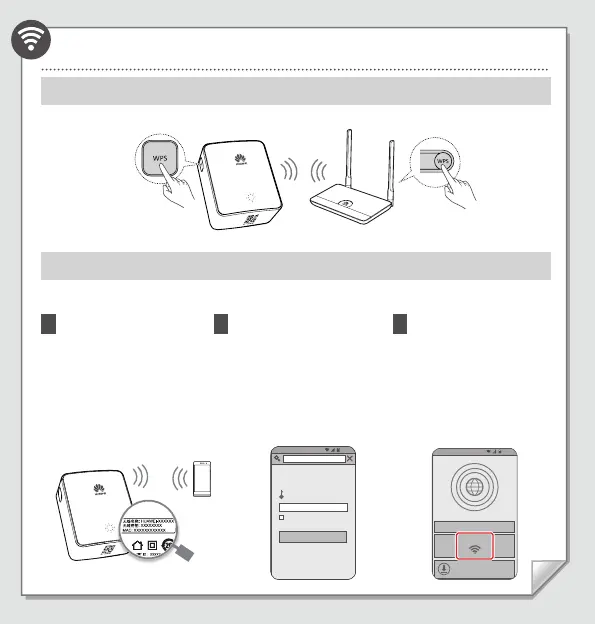
Wirelessly connecting WS331c to the wireless router
Method 1:
Automatic Connection through WPS Button
Method 2:
Manual Connection through the WS331c Web Page
You can configure the WS331c using a phone, tablet, or laptop. This guide uses a phone as an example.
Check the WS331c's Wi-Fi
network name (unencrypted
by default), and then wirelessly
connect your phone to the Wi-Fi
network.
1
On your phone, open a browser
and enter
192.168.3.1
or
mediarouter.home
to access
the WS331a configuration
screen. Then enter the login
password (default value:
admin
).
Remember password
Login Password
Log in
2
Touch
Internet Connection
Wizard
. Complete the
configuration by following
the Internet Connection
Wizard.
3
/TZKXTKZ)UTTKIZKJ
)UTLOM[XK=O,O
*U]TRUGJ8[SGZK'VV
3GTGMK_U[XXU[ZKXGT_ZOSKGT_]NKXK



 To Next Page