4
Step 2
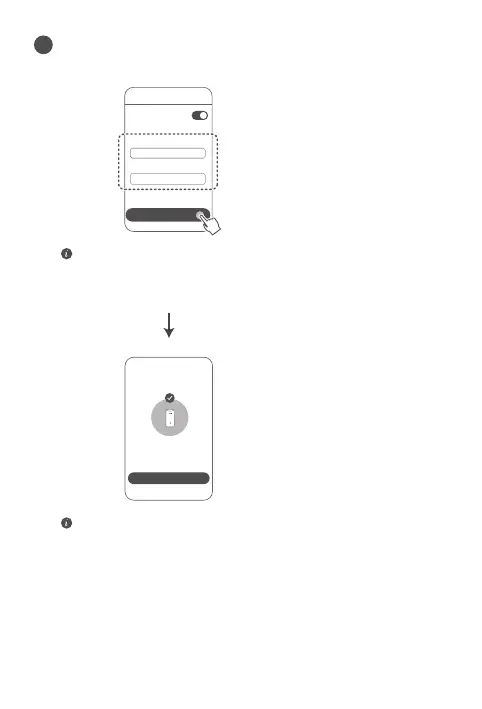
Wi-Fi name
Wi-Fi password
Tri-band
auto-selection
Enable Tri-band auto-selection: The 2.4 GHz and 5 GHz
Wi-Fi names will be the same. You will automatically connect
to the faster Wi-Fi network.
• Reconnect to the router's Wi-Fi to access the Internet.
• If the router cannot be congured on the app, congure the
router on the web-based management page by following the
instructions in Method 2.
Set a new Wi-Fi name, Wi-Fi password, and management
password for the new router.
5
NEXT
Connect to Wi-Fi


 To Next Page