Need help?
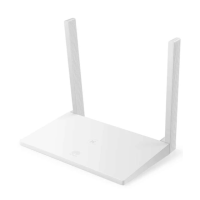
Do you have a question about the Huawei WS318n and is the answer not in the manual?
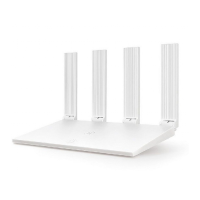
Connect the router to the modem and power. Ensure antennas are upright for optimal signal.
Connect to the router's Wi-Fi, access configuration page, enter account/password, set Wi-Fi name/password.
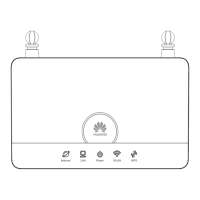
Details the meaning of the router's indicator lights (steady green, steady red, flashing red).
Scan the QR code to download and install the HUAWEI smart device management app for router management.
Troubleshooting common issues encountered during router configuration, such as Wi-Fi detection or connection errors.
Guidance on forgotten passwords, app login issues, and how to restore the router to factory settings.
Instructions on how to pair Wi-Fi devices with the router using the WPS function.
Important safety guidelines for device usage, including avoiding certain environments and handling.
Information on proper disposal of electronic products and batteries according to local regulations.
Compliance with local rules on restriction of hazardous substances in electrical and electronic equipment.
Statement of compliance with EU directives, including links to the Declaration of Conformity.
Details on operating frequency bands and maximum radio-frequency power transmitted by the equipment.
Recommended accessories and information about the product's software version and updates.
 General
| Product type | Portable router |
|---|---|
| On/off switch | Yes |
| Product color | White |
| Housing material | Plastic |
| DSL WAN | - |
| WAN connection type | RJ-45 |
| Output current | 1 A |
| Output voltage | 12 V |
| Power source type | AC |
| WLAN data transfer rate (max) | 300 Mbit/s |
| Ethernet LAN (RJ-45) ports | 2 |
 Weight and Dimensions
| Depth | 115 mm |
|---|---|
| Width | 169 mm |
| Height | 27.6 mm |

 To Next Page