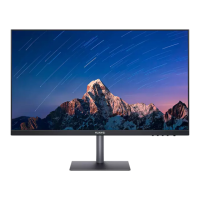
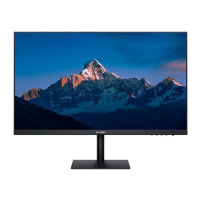
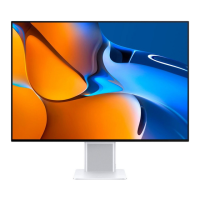
This document serves as a quick start guide and user manual for the Huawei XWU-CAA and XWU-CBA display devices. It provides essential information for setup, safe operation, maintenance, and regulatory compliance.
Function Description
The Huawei XWU-CAA and XWU-CBA are display devices designed for general use, likely as PC monitors. They are equipped with various input ports to connect to different sources and feature a 5-way joystick for intuitive control. The displays are designed for easy assembly and disassembly, with a quick-release button for the base. They support power delivery to other devices via a USB-C port and include cable management features for a tidy setup.
Important Technical Specifications
- Models: XWU-CAA, XWU-CBA
- Display Size: 27 inches
- Panel Type: VA
- Resolution: 2560 x 1440
- Pixel Density (PPI): 109
- Aspect Ratio: 16:9
- Contrast Ratio: 4000:1
- Brightness: 350 nits
- Dimensions (XWU-CAA): 613 mm (W) x 546 mm (H) x 231 mm (D)
- Weight (XWU-CAA): Approximately 8 kg
- Dimensions (XWU-CBA): 613 mm (W) x 546 mm (H) x 224 mm (D)
- Weight (XWU-CBA): Approximately 7.8 kg
- Input Ports (XWU-CAA): 1x HDMI 2.0, 1x DP 1.2, 1x Full-function USB-C port, 1x Headset jack, 1x USB-C port (power input)
- Input Ports (XWU-CBA): 1x HDMI 2.0, 1x DP 1.2, 1x USB-C port (power input)
- Power Adapter Input: 100V~240V AC, 50/60Hz
- Power Adapter Output (XWU-CAA): 20V/6.75A MAX
- Power Adapter Output (XWU-CBA): 20V/3.25A MAX
- USB-C Power Delivery: Up to 5V DC/2A MAX to other devices.
- Operating Temperature: 0 °C to 35 °C
- Storage Temperature: -10 °C to +45 °C
- Ambient Humidity: 20% to 95% (non-condensing)
- Disconnect Device: Power plug
- Nameplate Location: Rear side of the display (visible after removing the cable-management cover).
- Wi-Fi Functionality (if applicable): 5.2GHz band (except for high-power data communication system base stations or land mobile relay stations) and 5.3GHz band outdoor use are prohibited in Japan.
Usage Features
- Quick Setup: The manual provides visual instructions for assembling the display and its base.
- Intuitive Control: A 5-way joystick is used to power on the display and navigate its menus.
- Connectivity: Multiple ports (HDMI, DisplayPort, USB-C, Headset jack) allow connection to various devices like laptops, desktops, and audio peripherals.
- Power Delivery: The USB-C port can supply power to other devices, reducing the need for additional chargers.
- Cable Management: The display includes a cover on the rear to help organize cables, contributing to a cleaner workspace.
- Base Removal: A quick-release button on the rear of the display allows for easy removal of the base, potentially for VESA mounting or transport.
- Power Disconnect: The power plug serves as the primary disconnect device, emphasizing the importance of accessible power outlets.
Maintenance Features
- Cleaning: The manual suggests cleaning the screen with a soft velvet cloth and avoiding alcohol, cleaning liquids, or flammable substances.
- Storage: Recommended storage temperatures are -10 °C to +45 °C to ensure the longevity of the device.
- Disposal and Recycling: The product is marked with symbols indicating that it should be taken to separate waste collection points at the end of its lifespan. This ensures proper recycling of valuable materials and protection of human health and the environment. Information on how to contact local authorities, retailers, or household waste disposal services is provided.
- User Guide Availability: The latest user guide can be downloaded from the Huawei consumer support website for detailed maintenance and troubleshooting information.
- Hearing Protection: Avoid listening at high volume levels for extended periods to prevent possible hearing damage.
- Medical Device Interference: Consult a doctor and the device manufacturer to determine if the device's use may interfere with medical devices.
- Environmental Conditions: Avoid using the device in dusty, damp, dirty places, or near magnetic fields.
- Temperature Guidelines: Operate the device within 0 °C to 35 °C and store it within -10 °C to +45 °C.
- Power Connection: The power plug must be connected to an earthed socket outlet, which should be installed near the device and be easily accessible. Unplug the power adapter when not in use.
- Product Nameplate: The device nameplate, containing important identification information, is located on the rear of the display and can be viewed after removing the cable-management cover.
Regulatory Compliance
The Huawei XWU-CAA/XWU-CBA devices comply with various EU directives, including EMCD 2014/30/EU, LVD 2014/35/EU, RoHS 2011/65/EU, and ErP 2009/125/EC. Full text of the EU declaration of conformity, detailed ErP information, and the latest information on accessories and software are available on the Huawei consumer certification website. EU product database links for energy labels and product information sheets are provided for both XWU-CAA and XWU-CBA models. The device also complies with UK regulatory requirements.

 Need help?

 To Next Page
 General