15
3. Touch to the side of the log entry and then select desired SIM card to dial.
Answering or Rejecting a Call
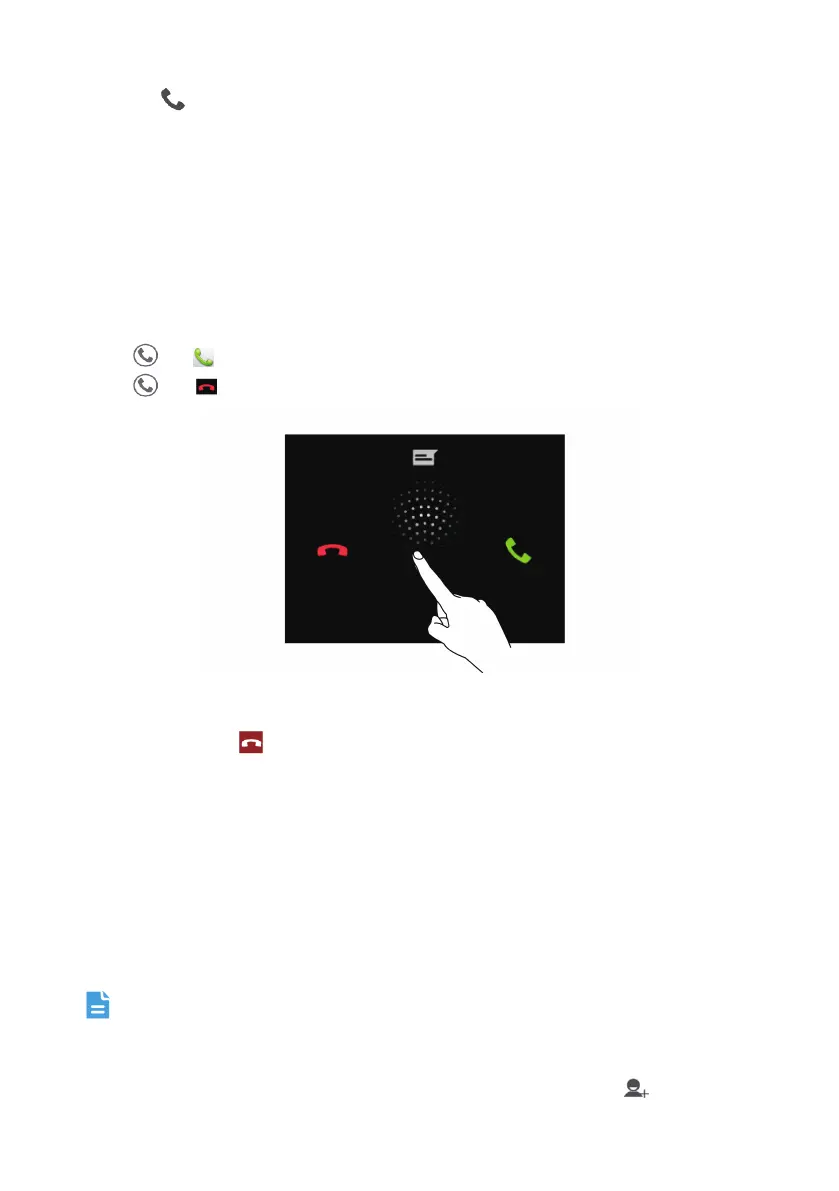
Answering or rejecting an Incoming Call
When you receive a phone call, the incoming call screen opens. If you have previously saved
the caller’s number in
Contact
, the caller's name and number are displayed. If the caller’s
number is not saved in
Contact
, the caller’s number is displayed.
Drag
to to answer the call.
Drag
to to reject the call.
Ending a Call
During a call, touch to hang up.
Other Operations During a Call
Making a Conference Call
If you receive a new call while you are already in a call, you can add the second call to the call
you are in. This feature is known as conference calling. You can also set up a conference call
with multiple callers.
Contact your network operator to ask if conference calls are supported and, if yes, how
many parties can participate.
1. To initiate a conference call, dial the number of the first participant. After you have
connected to the first participant, keep the connection open, touch
.


 To Next Page