Digital Communications Interfaces ________________________________________________________
RF-MCGARDPRO Hubbell Power Systems, Inc. – RFL™ Products
July 1, 2022 ©2022 Hubbell Incorporated
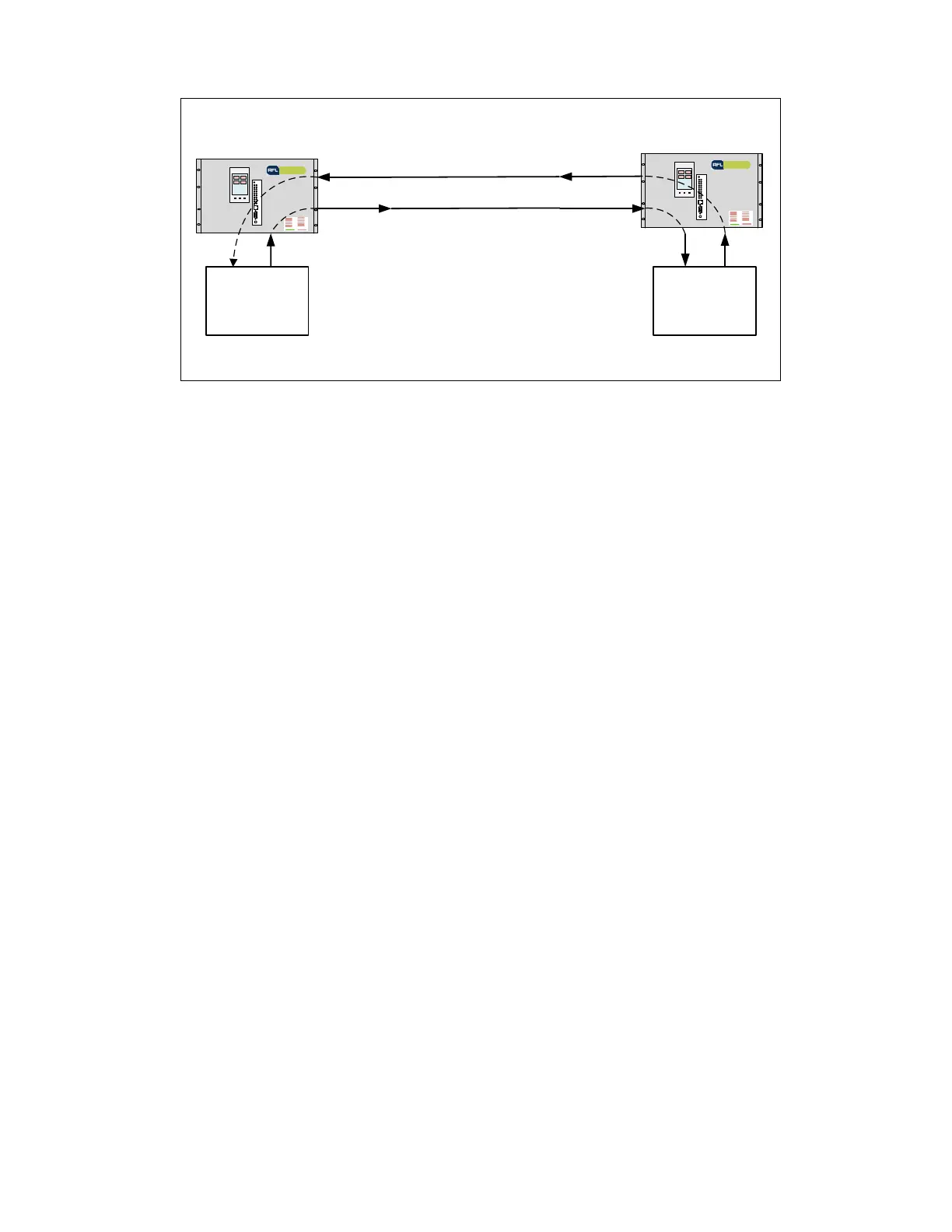
Figure 7-1. Auxiliary Channel Terminal Pass Thru
7.2
Configure Digital Comms Modules
7.2.1 Digital Communications Interface Navigation
This page allows the user to configure different parameters of the Digital Communications
interfaces. All digital communications modules installed in the chassis are displayed here.
Each module has its own “bar” with settings as well as an ‘Advanced’ menu of settings, which
can be displayed or hidden by clicking the “More v” or “Less ^” button.
The menu item and page are available/visible only when any comms module is installed in the
chassis, or when a display module is installed which is equipped with Digital Teleprotection and
capability to drive power supply I/O comms interface, such as a 500410-5 or 500410-7.
7.2.2 Digital Communication Parameters
The Digital Communication System Configuration covers a wide variety of parameter settings
for the various types including:
• Line Interface. Configures type of communications of the module.
• Line rate. 64 – 768 kbps depending on type per interface.
o T1 will default the Line rate at 1.544 Mbps
o E1 will default the Line rate at 2.048 Mbps
o RS-232 Async Unit, two ports independently configured using one 64 kbps
timeslot per port, or share a single timeslot running at 19.2 kbps or below
o RS-449, X.21 and V.35 can be configured with data rates of 64 kbps - 768 kbps
o C37.94 can be configured with data rates of 64 kbps - 768 kbps
o Direct Fiber can be configured with data rates of 64 kbps - 768 kbps
o G.703 can be configured with data rate of 64 kbps only



 To Next Page