30
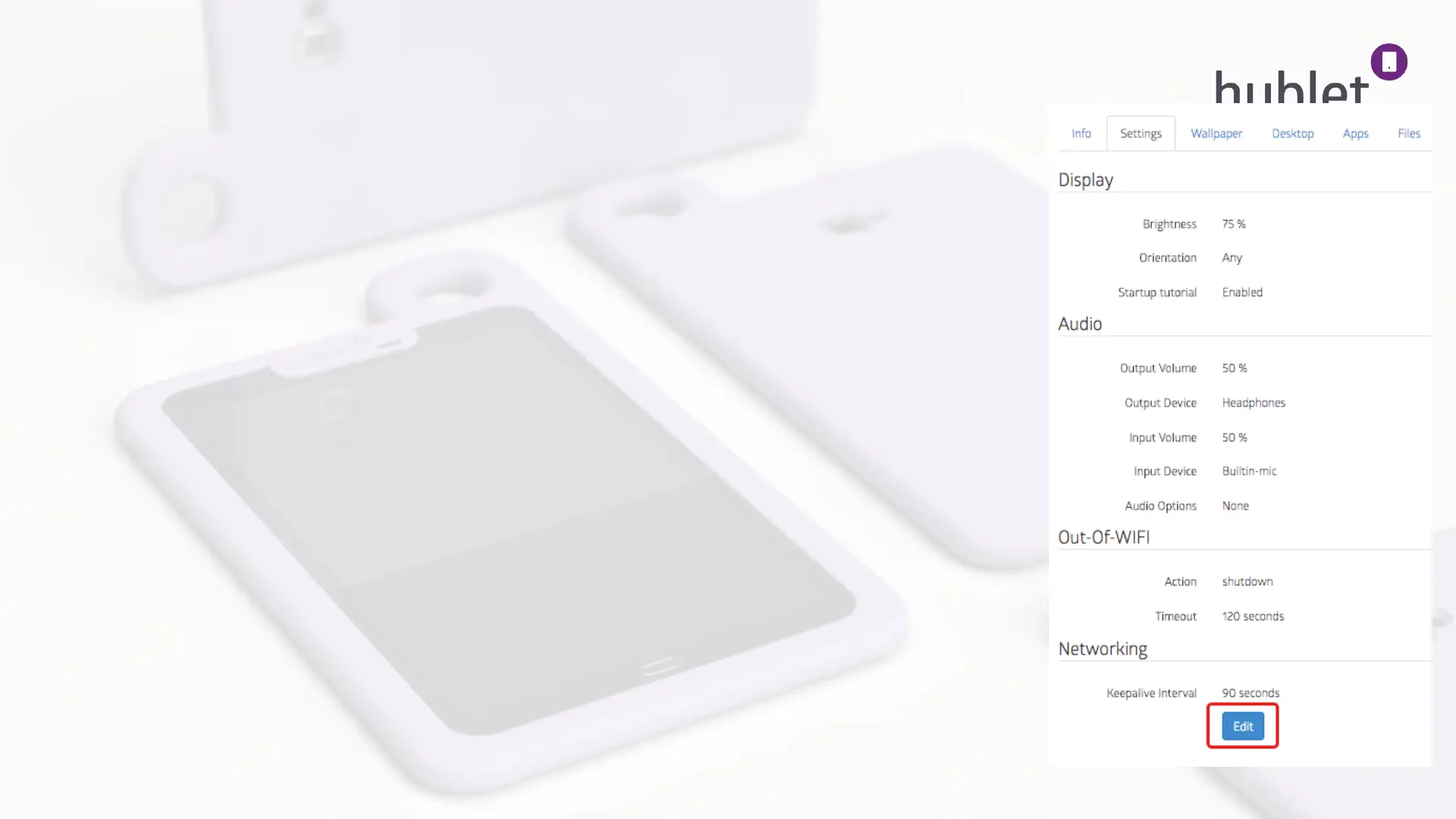
Settings
Display: Brightness defines the default brightness for the screen.
Orientation lets you lock the device to portrait or landscape
mode or freely rotate according to the position.
Startup tutorial is a short introduction popup to Hublet tablet
and generic Android buttons. You can choose to show it in the
beginning of each loan or not.
Audio: Lets you choose the default input and output volume for the
profile. The user can change these settings during the loan.
Out-of-WiFi: Defines the time the tablets are allowed to stay out of the
defined networks without shutting down.
Networking: Defines the keep alive interval for the tablets. For example: if
the interval is set to 60 seconds, the tablet will contact the
Hublet cloud every minute to check if there are any changes in
the loan od other settings.
Organization > Site > Device configurations > User profile > Overview 2/6
View: Device configurations >Profile > Settings
13/03/2019


 To Next Page
 Loading...