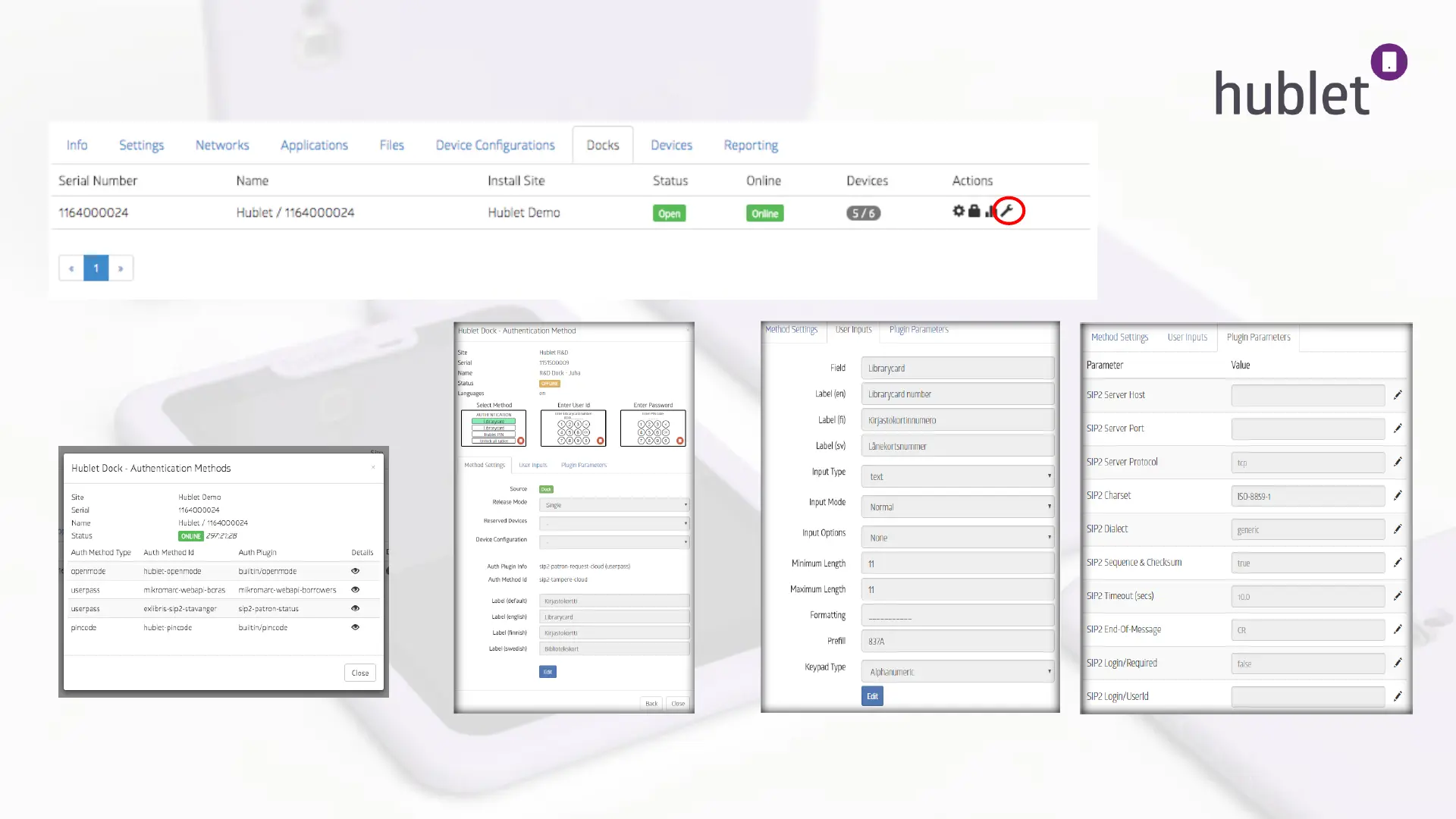
Organization > Site > Docks 4/4 Change pluging and SIP parameters
47
1. Click the wrench icon and open authentication methods used in the particular dock and their details.
2. Hublet Dock- Authentication method > Details >
eye icon
3. View: Site > docks > wrench icon > eye icon >
Method settings / User Inputs / Pluging
Parameters
4. Parameters and settings can be changed by
pressing Edit button or PEN icon. Saving
changes by pressing SAVE button.
13/03/2019
1.



 To Next Page