Ver. 1.3 – 8.3.2017
Physical Description________________________________________
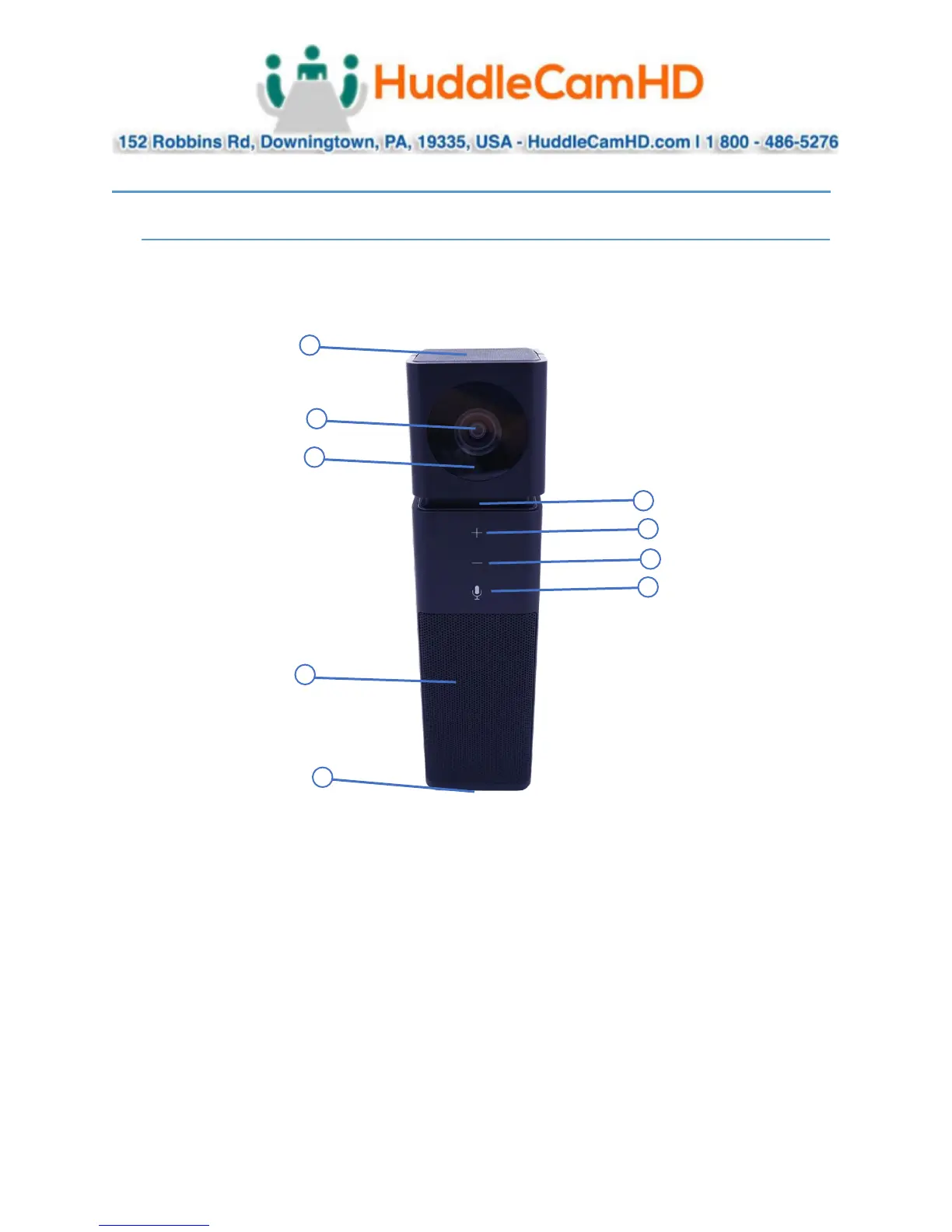
Front View of the Camera_______________________________________
1. 360° Omni-Directional Microphone
2. HD Wide-Angle Lens
3. Camera Status Light (Active / Inactive)
4. Audio Status Light (Muted / Unmuted)
5. Volume Up Button
6. Volume Down Button
7. Microphone Mute Button (Toggle On / Off)
8. Speaker
9. USB 2.0 Mini Port



 To Next Page