6
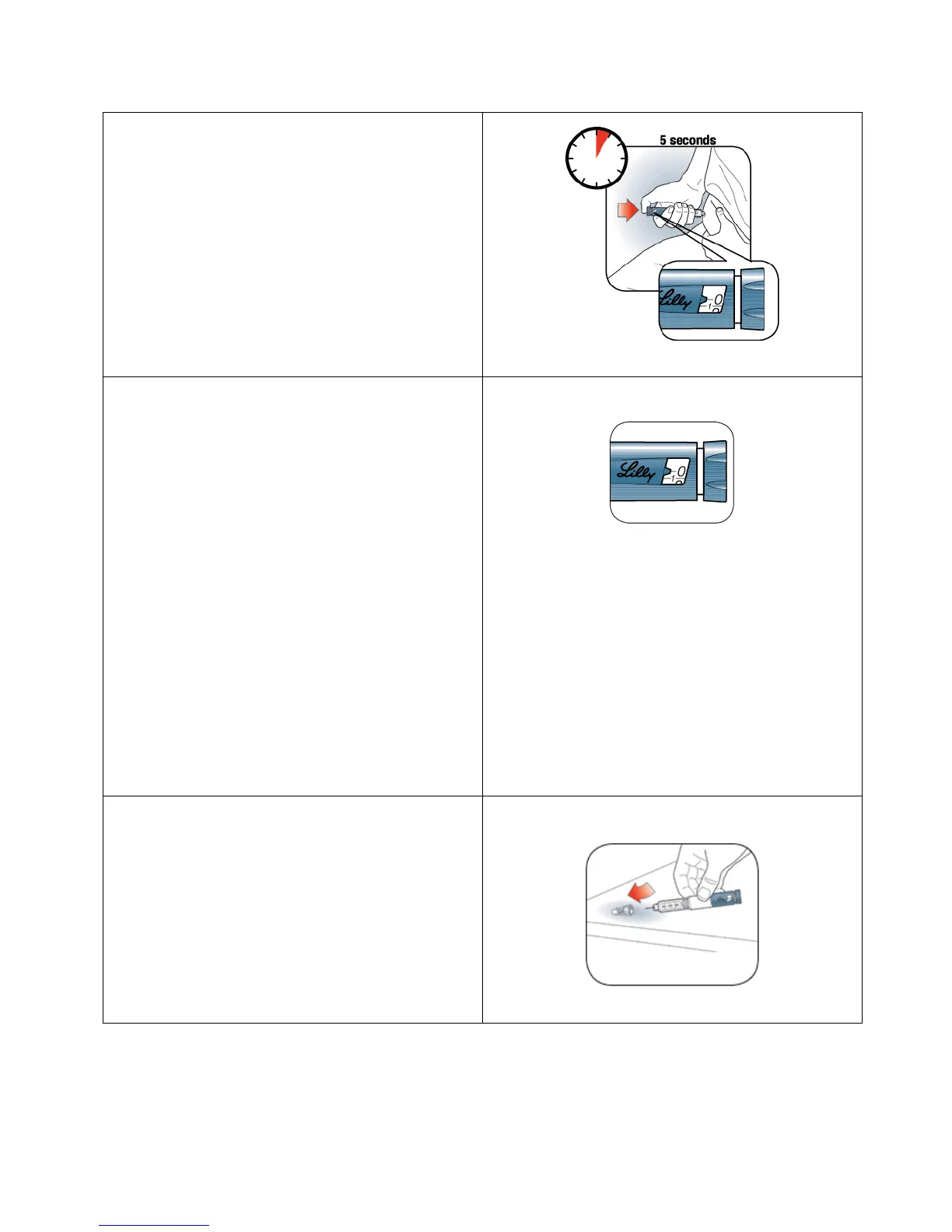
Step 11:
Put your thumb on the Dose Knob and
push the Dose Knob in until it stops. Hold
the Dose Knob in and slowly count to
5.
Step 12:
Pull the Needle out of your skin.
You should see “0” in the Dose Window.
If you do not see “0” in the Dose
Window, you did not receive your full
dose.
If you see blood after you take the
Needle out of your skin, press the
injection site lightly with a piece of gauze
or an alcohol swab. Do not rub the area.
A drop of insulin at the needle tip is
normal. It will not affect your dose.
If you do not think you received your
full dose, do not take another dose.
Call Lilly or your healthcare provider for
assistance.
Step 13:
Carefully replace the Outer Needle
Shield.


 To Next Page