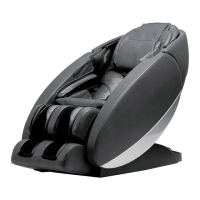
Laevo ZG Chair with Lift Assist
Remote Control User Guide
RESTORE: Press and hold to
restore the chair to the upright
position with the leg rest lowered.
MEMORY: Press and hold until the
button flashes blue to save the chair’s
current position.
LUMBAR: Press and hold to inflate or
deflate the lumbar support.
STOP: Press to deactivate the
Heat and Massage functions; pre
nable them.
MASSAGE: Press to toggle through
the following vibration massage
programs:
• Red – Full-body
• Green – Back only
• Orange – Seat only
• Purple – Leg rest only
LEGS: Press and hold to raise or
lower the leg rest.
ZeroG
®
: Press to recline to zero
gravity position.
HEAD: Press and hold to inflate or
deflate the headrest.
BACK: Press and hold to raise or
lower the backrest.
HEAT: Press to toggle through the
following heat settings:
• Red - Backrest, seat, and leg rest
• Green - Backrest only
• Orange - Seat only
• Purple - Leg rest only
LIFT: Press and hold to lift and lower the chair for easy entry/exit.
When the chair is in the lift position, all other functions are disabled.

 Need help?
 General

 To Next Page