© 2017 HumanCentric Ventures LLC
www.humancentric.com
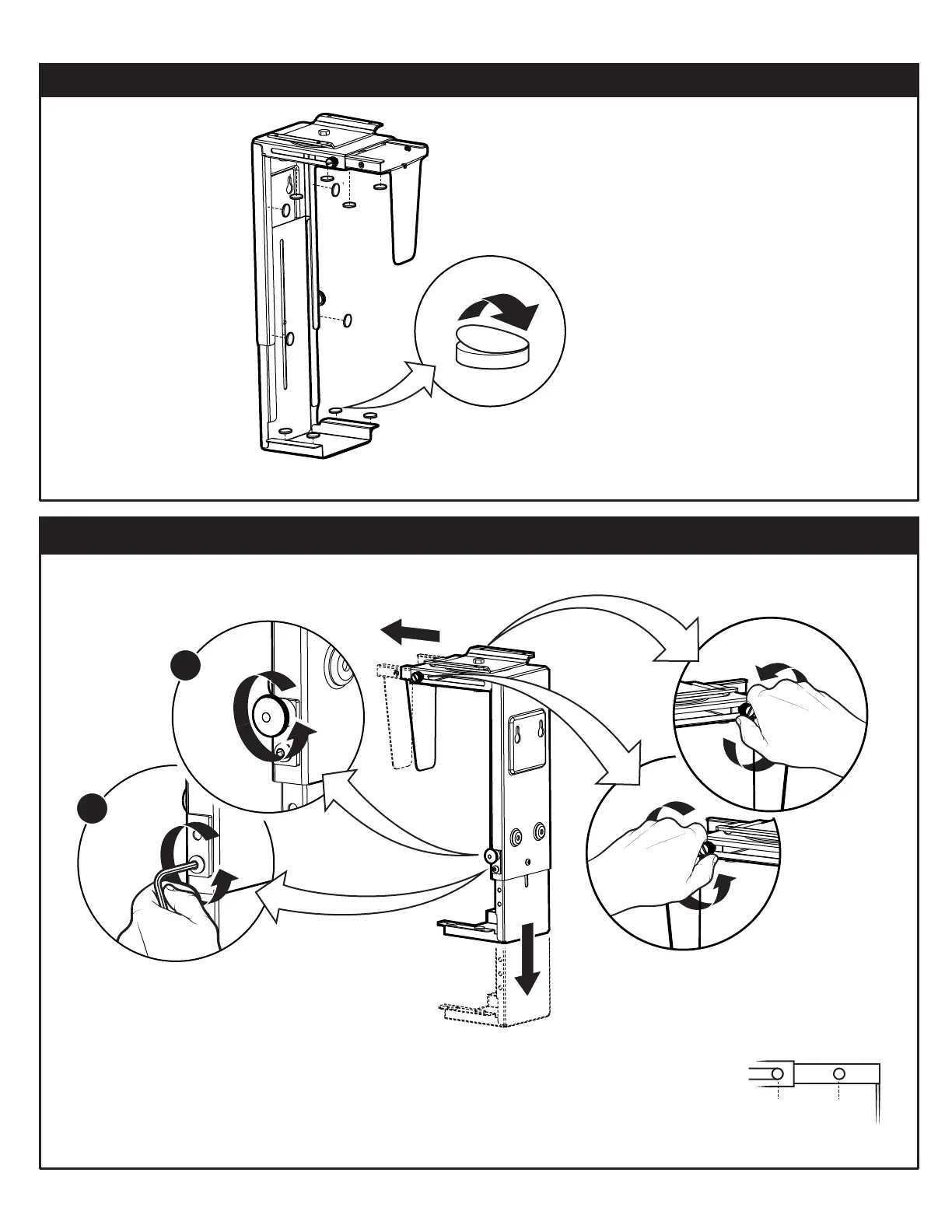
Apply the 12 felt pads to the mount in
the positions shown below.
1. APPLY FELT PADS TO MOUNT
2. ADJUST MOUNT TO FIT COMPUTER
Set the mount on the floor, lying on its side.
Remove the vertical adjustment lock knob
and loosen the adjustment peg with the
allen wrench. Then slide the lower end to
the fully extended position.
Extend the horizontal adjustment arm to
allow your computer to fit inside the case. If
you reach the full length and it is not wide
enough, move the
adjustment screw
from position A to
position B.
AB
left side
right side
1
2
2


 To Next Page