© 2017 HumanCentric Ventures LLC
www.humancentric.com
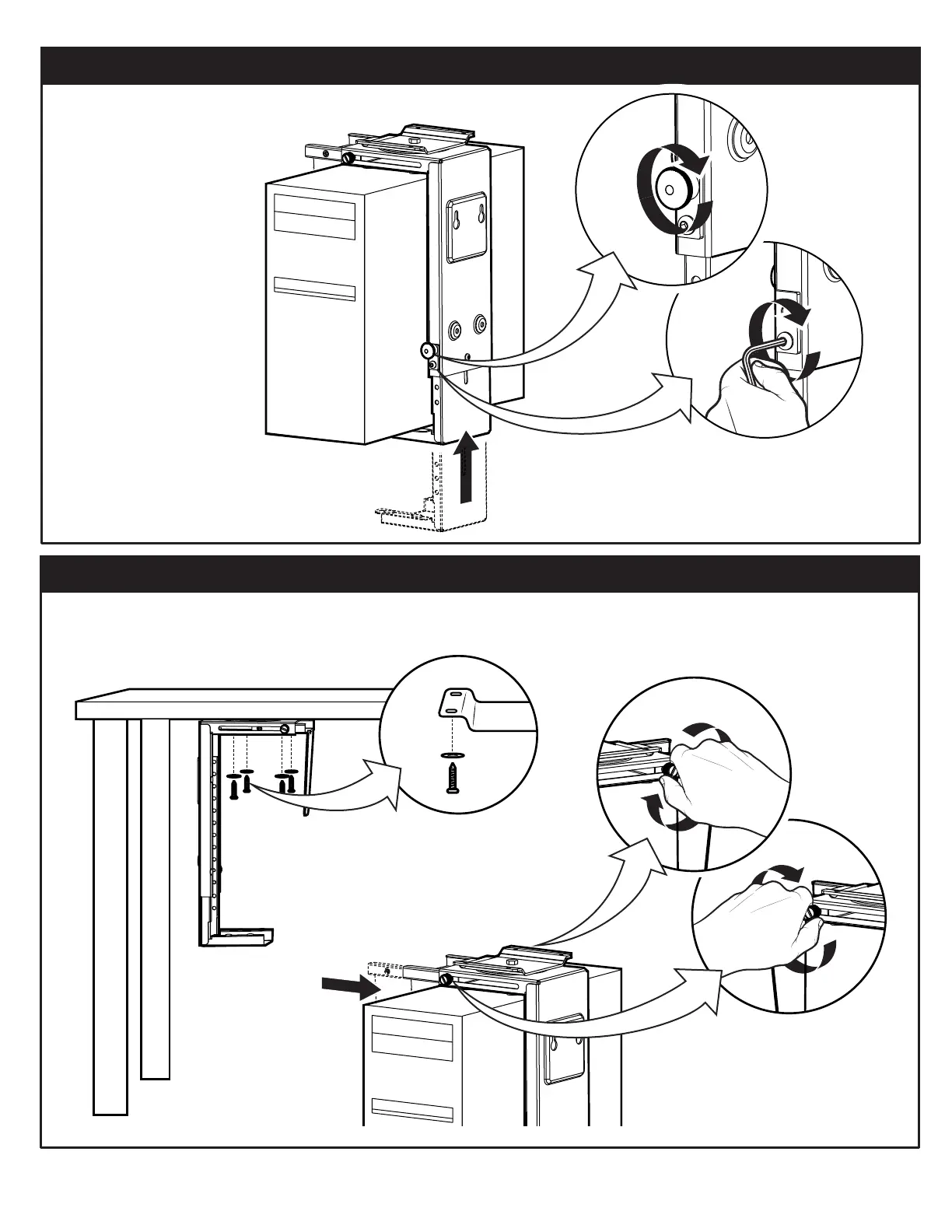
2. ADJUST MOUNT TO FIT COMPUTER
Place your computer
inside the case and
make the vertical
adjustment as tight as
possible (there may be
a small gap between
the top of the
computer and the
case).
3. ATTACH MOUNT
Replace the adjustment lock
knob and tighten the
adjustment peg to lock the
vertical adjustment in place.
Option 1: Attach Mount Under Desk
Use the self-tapping screws (B) and washers (F) to
attach the mount to the bottom of a desk.
Place the computer in the mount and
slide the horizontal grip into place.
Tighten securely on both sides
left side
right side
3


 To Next Page