Description
10 Proprietary. Humaneyes Technologies
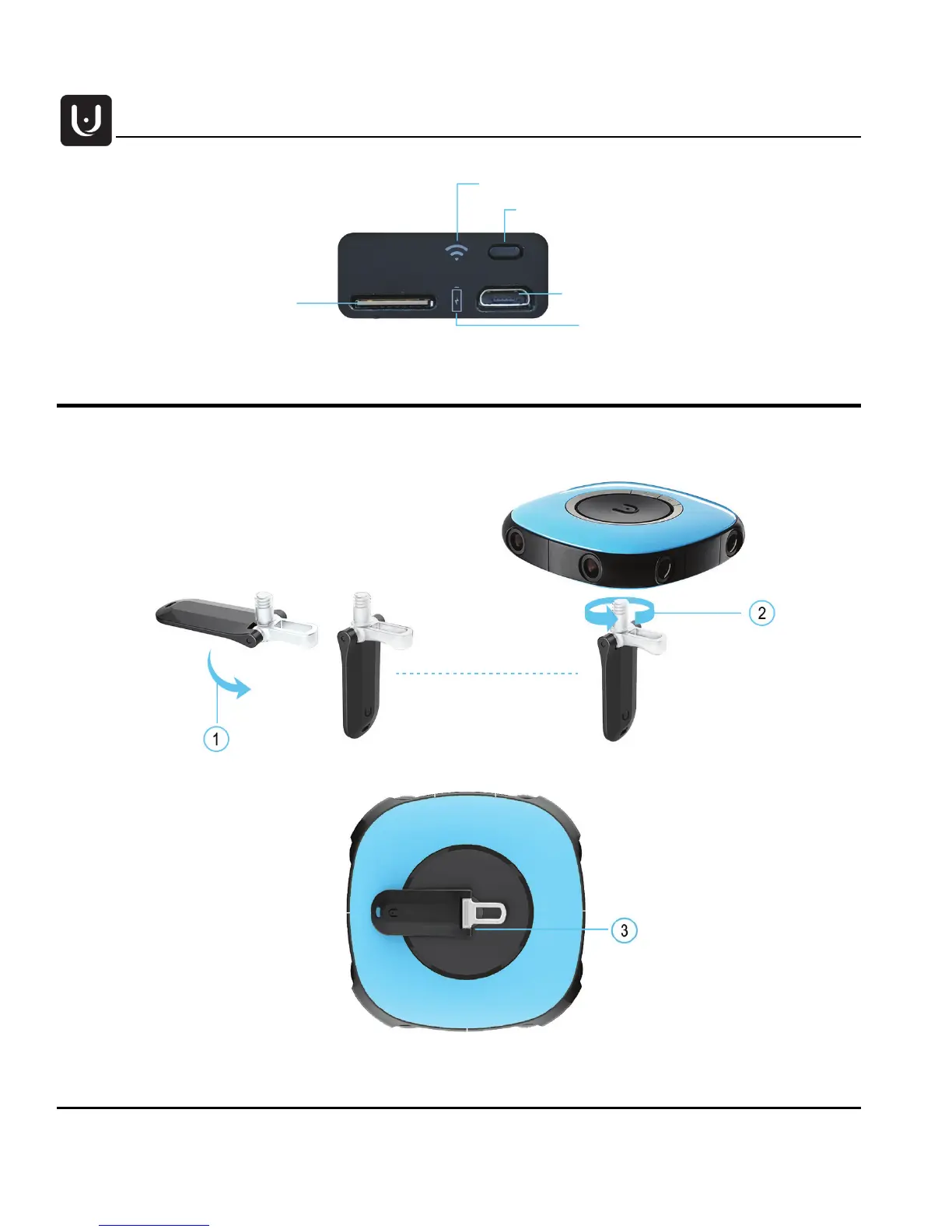
Handle
1. Fold the handle to the open position:
2. Screw the small handle to the tripod socket.
For storage and when not in use, fold the handle flat against the camera.
WiFi On/Off button
Micro SD card slot
Micro USB interface Charging/PC
Battery charge status LED
WiFi status LED



 To Next Page