
 Need help?
Do you have a question about the Humhold HDFSD -A01 and is the answer not in the manual?
Securing the mounting plate to a wooden ceiling using pilot holes and wood screws.
Mounting the plate on a concrete ceiling with a hammer drill and expansion screws.
Procedure to re-pair the remote control if it is not working correctly with the fan.
Addresses humming noise issues by checking fan fittings and securing loose parts.
Troubleshooting steps for a fan that does not respond to remote control commands.
Solutions for fan wobble, focusing on secure mounting plate and hardware.
Checks for issues with the light, including wire connections and LED board.
Resolves ticking noises by checking for obstructions and securing fan hardware.
This document is an owner's manual for a ceiling fan, providing instructions for installation, wiring, remote control operation, maintenance, and troubleshooting.
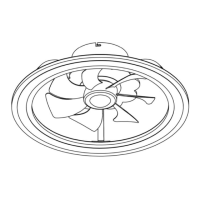
The device is a ceiling fan designed to circulate air within a room and potentially provide illumination. It features multiple fan speeds and a natural wind mode, suggesting varying airflow patterns for comfort. The fan also includes a light function with adjustable color temperature and a night light setting, indicating its dual purpose for both air movement and ambient lighting. A timer function allows for scheduled operation, and a reverse motor feature suggests the ability to change the direction of air circulation, which can be useful for different seasons (e.g., pushing air down in summer or pulling warm air up in winter).
The manual emphasizes safety throughout the installation and operation process, advising users to shut off power at the circuit breaker before beginning any work and to read all instructions carefully. For installation, it provides specific guidance for both wooden and concrete ceilings, detailing the types of screws and drilling techniques required. This indicates a versatile mounting system suitable for various home constructions.
Wiring preparation is made easier with a J-hook system that allows the fan to be suspended from the mounting bracket, freeing the user's hands for wiring connections. This is a thoughtful design feature aimed at simplifying a potentially complex and awkward step. The manual also includes a warning about disconnecting the electrical supply circuit before wiring to prevent electric shock, reinforcing safety protocols.
The remote control is a central feature for operating the fan. It offers comprehensive control over the fan's functions, including:
The remote control is pre-paired with the fan, simplifying initial setup. However, instructions are provided for re-pairing if necessary, ensuring continued functionality. The caution regarding checking the battery if the indicator light doesn't illuminate highlights a common user issue and provides a quick troubleshooting tip.
The manual provides several suggestions for maintaining the fan to ensure its longevity and optimal performance:
A crucial safety warning for maintenance is to switch off power at the service panel and lock the service disconnecting means before servicing or cleaning the fan. This prevents accidental power-on and ensures user safety during maintenance tasks.
The troubleshooting section further supports maintenance by offering solutions to common problems such as humming noises, remote control unresponsiveness, wobbling, and light malfunctions. This empowers users to address minor issues before needing professional assistance. For instance, it suggests checking for loose fittings, verifying power supply, ensuring correct battery polarity in the remote, and confirming secure mounting and wiring connections. For a ticking noise, it advises checking for obstructions, secure hardware, and allowing a "break-in period" for the fan. These detailed troubleshooting steps contribute to the overall maintainability and user-friendliness of the device.
 General
| Model | HDFSD-A01 |
|---|---|
| Category | Fan |
| Power | 50W |
| Voltage | 220V |
| Frequency | 50Hz |
| Speed Settings | 3 |
| Material | Plastic |
| Color | White |
| Power Source | Electric |

 To Next Page