This document provides the instruction manual for the HUMILABS OL12D-D031B dehumidifier. It covers essential information for safe operation, product overview, technical specifications, installation, usage, drainage, maintenance, and troubleshooting.
Function Description
The HUMILABS OL12D-D031B is a dehumidifier designed for indoor use to reduce ambient humidity. It operates by drawing in moist air, removing excess water vapor, and expelling drier air. The device features a control panel with a digital display that shows humidity levels and other operational information. It includes various modes such as Auto mode, Continuously Drying mode, and Sleep mode, allowing users to customize its operation based on their needs. The dehumidifier is equipped with a water tank for collecting condensed water, and it also supports continuous drainage for extended, unattended operation. Safety features include automatic shut-off when the water tank is full and self-protection mechanisms for extreme temperatures.
Important Technical Specifications
- Model: OL12-D031B
- Dehumidification Capacity:
- 30 Pints/D (at 95°F/90%RH)
- 25 Pints/D (at 86°F/80%RH)
- 9 Pints/D (at 65°F/60%RH)
- Rated Voltage: 115V~60Hz
- Noise Level: ≤38dB(A)
- Water Tank Capacity: 68oz.
- Net Weight: 23lbs
- Minimum Room Size: 300~2000 sq ft
- Dimension: 9.88.717.5 inches
- Functioning Temp Range: 41°F-95°F
Usage Features
The dehumidifier offers a user-friendly control panel with several buttons for various functions:
- POWER: Turns the appliance on/off. When turned on, it defaults to automatic mode with high wind operation and an initial humidity setting of 50%RH.
- MODE: Cycles through Auto mode, Continuously Drying mode, and Sleep mode.
- Auto mode: The fan and compressor adjust operation based on the difference between environmental humidity and set humidity. Both fan speed and humidity are adjustable in this mode.
- Continuously Drying mode: The appliance operates continuously at an unadjustable humidity level.
- Sleep mode: Activated by a long press of the MODE button. In this mode, indicators dim after 10 seconds of inactivity, and wind speed automatically switches from high to low. Humidity is adjustable, but wind speed is not.
- HUM/TIME SET:
- In Auto or Sleep mode, adjusts the set humidity in 5% increments within the range of 30%-80%.
- A long press displays the current room temperature for 5 seconds.
- Used in conjunction with the TIMER button to set the timing function.
- TIMER: Activates the timing function, allowing users to set an operation period from 0-24 hours. The appliance will turn on or off after the set time.
- SPEED: Adjusts wind speed between high and low in Auto mode. Wind speed is not adjustable in Sleep mode or during defrosting.
- LOCK: A child lock function activated by a long press, which locks all buttons. Another long press deactivates it. It automatically turns off when the appliance is shut down or power is off.
The digital display uses a 3-color system to indicate ambient humidity:
- Blue: Ambient Humidity < 45%
- Green: 45% ≤ Ambient Humidity ≤ 65%
- Red: Ambient Humidity > 65% (also displays red for error codes like E1, CL, CH, LO).
Drainage:
The dehumidifier offers two drainage methods:
- Water Tank: When the 68oz water tank is full, the appliance emits a buzzing sound, and the "Water Full" indicator lights up, automatically stopping operation. Users must manually empty and clean the tank. It is crucial not to discard the water tank magnets and plastic rivets, as they are essential for proper operation and overflow prevention.
- Continuous Draining: For extended operation, a drain hose (attached) can be connected to the cistern hole, allowing condensate to flow directly into a bucket, drain, or outdoor space by gravity. It's important to ensure the drain pipe is not blocked or bent and is positioned lower than the outlet.
Maintenance Features
Regular maintenance ensures optimal performance and longevity of the dehumidifier.
- Cleaning the Air Filter: The air filter should be cleaned every two weeks. Dust accumulation can restrict airflow, reduce efficiency, and potentially damage the appliance.
- Turn off the appliance and unplug it before cleaning.
- Remove the water tank, then pull out the filter from the appliance's rear shell.
- Use a vacuum cleaner to gently remove dust. For very dirty filters, wash with water and a soft detergent, then dry thoroughly.
- Re-install the filter.
- Water Tank Cleaning: If the water tank is dirty, rinse it with clean water. Avoid using harsh detergents, steel balls, chemical dust removers, diesel oil, benzene, diluents, or other solvents, as these can damage the tank.
- Storage: For long-term storage (more than a few weeks), the appliance should be thoroughly cleaned and dried.
- Switch off and unplug the appliance.
- Drain any remaining water.
- Clean and dry the air filter completely in a shaded area.
- Collect the power cord at the water tank.
- Re-install the filter.
- Store the appliance in an upright position in a ventilating, dry, corrosive gas-free, and safe indoor space.
- Ensure the evaporator inside the appliance is completely dry to prevent mold and component damage. This can be achieved by placing it in a dry open area for several days or by setting the humidity level more than 5% higher than the ambient humidity to force the fan to dry the evaporator for several hours.
Troubleshooting:
The manual provides a troubleshooting guide for common issues such as no power, "Water Full" indicator flashing, operating outside the temperature range, clogged air filter, obstructed ducts, uneven surface, humidity sensor problems, and temperature protection errors (E1, LO, CL, CH). Solutions range from checking power connections and draining the water tank to cleaning filters, repositioning the unit, or contacting customer service if necessary. The appliance has self-protection features that stop operation if the room temperature is outside the 41°F-95°F range or if high/low temperature protection is triggered.

 Need help?
 General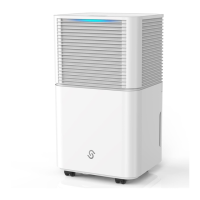

 To Next Page