
 Need help?
Do you have a question about the Hundure RAC-510PE and is the answer not in the manual?
Lists all items included in the product packaging.
Highlights the main functionalities and capabilities of the access controller.
Details the technical parameters for RAC-510PE and RAC-511PE models.
Provides the physical measurements and outline of the access controller.
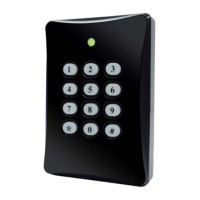
Introduces the device's physical look and labels key components.
Illustrates the overall system setup with connected devices like ACU-30 and PSU-330.
Details essential wiring procedures for system components, including communication, alarm, locks, sensors, and power.
Provides step-by-step instructions for the physical installation of the access controller.
Explains how to configure the device ID using DIP switches on the RAC-510.
Introduces the process of entering command mode for configuring various system functions.
Details the procedure for adding new card numbers and optional passwords.
Describes how to remove a specific card number and its access privileges.
Outlines the process to clear all stored card numbers and access authorizations.
Explains efficient batch addition of card numbers in shared memory mode.
Details efficient batch deletion of card numbers in shared memory mode.
Configures the door relay behavior between Pulse and Toggle modes.
Sets the time interval the door remains unlocked after valid access.
Configures the timeout for the door sensor and associated alarm actions.
Manages settings for conditional door unlocking based on specified time limits.
Sets the address comparison parameters for card modes.
Configures advanced options related to door prop and open detection alarms.
Configures advanced options for card swipe, keypad tones, and case sensors.
Establishes a time window to prevent rapid re-swiping of the same card.
Sets the input logic for exit buttons and door sensors (Normally Open/Closed).
Determines if the Master Code itself can be used to grant door access.
Provides instructions for setting the current date on the device's display.
Provides instructions for setting the current time on the device's display.
Controls whether the device's keypad is active or inactive.
Configures the system to log or ignore invalid card entries.
Guides the user through the process of changing the primary master code.
Configures a specific card or code to disarm system alerts.
Establishes a duress card or code for emergency silent unlocking.
Explains configuration choices for Standard, Compressed, and Shared memory modes.
Defines allowed methods for opening the door (e.g., card only, card+PIN).
Details settings for an attached slave reader, including interface and security options.
Describes how to reset the device to its factory default settings.
Outlines the steps to verify the installed access control device's functionality.
Addresses frequent operational problems and provides solutions for the access control system.
Provides a comprehensive list of command codes and their associated functions for the RAC-510/511.
Specifies required cable types and their maximum permissible connection lengths.
 General
| Power Supply | 12 VDC |
|---|---|
| Operating Current | 500 mA |
| Event Capacity | 100, 000 |
| Communication | TCP/IP |
| Reader Interface | Wiegand 26/34 |
| Door Control | 2 |
| Operating Temperature | -10°C to 55°C |
| Operating Voltage | 12 VDC |
| Operating Humidity | 20% to 80% (non-condensing) |

 To Next Page
