
 Need help?
Do you have a question about the Hunt HVR-04 and is the answer not in the manual?
Provides a general overview of the HVR-04's capabilities and features.
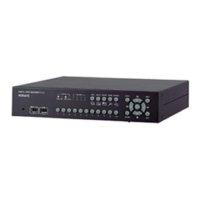
Details the physical buttons, indicators, and ports on the front of the HVR-04.
Describes the various input/output connectors located on the rear of the HVR-04.
Outlines the essential steps for installing and setting up the HVR-04 unit.
Guides users through setting up basic monitoring views like quad-multi screen.
Instructions on how to display a single camera feed in full screen mode.
Explains how to view multiple camera feeds simultaneously on the screen.
Enables automatic sequential display of connected camera channels.
How to view a channel that has triggered an alarm, often in full screen.
Allows users to zoom in on specific areas of the live or recorded image.
Instructions for controlling Pan, Tilt, and Zoom devices connected to the HVR-04.
Details various ways to replay recorded footage, including full screen.
Using digital zoom functionality during recorded video playback.
Explanation of playback functions like play, pause, fast forward, and rewind.
How to search and play back specific data by time, date, or event log.
Steps to copy specific recorded data to a USB memory stick.
Process for backing up recorded data using IEEE1394/FireWire ports.
Instructions for deleting specific recorded file ranges from the HDD.
Guides through the easiest setup process activating all analog cameras.
Configuring the device's date, time, and time zone for accurate recording.
Configuring recording parameters like speed, quality, and audio for all channels.
Setting up individual analog camera channels, including name, status, and color.
Configuring PTZ (Pan/Tilt/Zoom) parameters for connected cameras.
Setting uniform recording parameters for all analog channels.
Configuring specific recording parameters for individual analog channels.
Defining recording schedules based on weekdays, weekends, day, and night.
Configuring external sensor inputs for alarm triggers (N.O./N.C.).
Configuring motion detection sensitivity and areas for each channel.
Configuring text input for recording or display with video feeds.
Setting up relay commands, buzzer, or email notifications based on schedules.
Details relay configuration, buzzer, and email settings for alarm events.
Configuring duration and behavior for alarm pop-up screens.
Setting the time interval for automatic channel switching in sequence mode.
Adjusting display settings to reduce flicker for smoother viewing.
Setting up audio input, gain, and synchronization for recording and playback.
Configuring detailed time schedules for recording based on weekdays/weekends.
Managing user passwords, administrator passwords, and remote access.
Configuring disk management, auto deletion, and backup reminders.
Setting up network type, IP addresses, DHCP, and port settings.
Enabling and configuring IP camera channels for the system.
Detailed setup for IP cameras, including name, IP address, and type.
Registering local IP cameras by searching and selecting them from a list.
Detailed hardware and performance specifications for the HVR-04.
Explanation of IP address construction, network classes, and subnetting.

 To Next Page
 General