EasyManua.ls Logo

HushMat 82450 - User Manual

HushMat 82450
2 pages
Print Icon
To Next Page IconTo Next Page
Loading...
www.hushmat.com @HushMatUSA
Speaker Installation Instructions
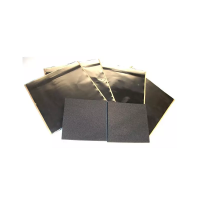
HushMat Products: Ultra Speaker Kit (Part # 10110) and Wave Breaker (Part # 82450)
Tools Needed: Household scissors or box knife, HushMat Pro Roller Part #90100, screw driver
Step 1: Remove Stock Speaker from vehicle:
Step 2: Peel brown release paper on one sheet of HushMat Ultra (Part #10110) and apply over speaker
opening as shown. Trim out center of sheet exposing the mounting hole.
Step 3: Use the round Ultra piece removed from the center speaker mounting hole from Step 2 above
and adhere this to the inside of the outer door skin directly behind the speaker opening.
Ultra “circle” cut out
from speaker hole
Speaker mounting hole
Question and Answer IconNeed help?

Do you have a question about the HushMat 82450 and is the answer not in the manual?

Summary

HushMat Speaker Installation Guide

Remove Factory Speaker

Remove the original speaker from the vehicle's door panel.

Apply HushMat Ultra to Opening

Apply HushMat Ultra over the speaker opening and trim the center.

Adhere Ultra Circle to Door Skin

Attach the removed HushMat Ultra circle to the inner outer door skin.

Install Wave Breaker Pad

Stick the Wave Breaker pad over the Ultra material, ensuring an air gap.

HushMat 82450 Specifications

General IconGeneral
BrandHushMat
Model82450
CategoryCar Speakers
LanguageEnglish