Need help?
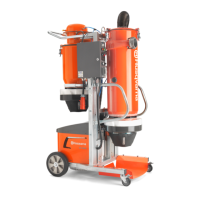
Do you have a question about the Husqvarna DC 3000 and is the answer not in the manual?
Indicates immediate danger causing severe injury or death.
Points to a hazardous situation that could lead to severe injury or death.
Highlights a potentially dangerous situation leading to minor injuries.
Warns of a potentially dangerous situation leading to property damage.
Steps for correctly attaching a disposal bag before vacuuming fine dust.
Procedure for safely removing and disposing of the used dust disposal bag.
Instructions for replacing brush strips with rubber lips for wet cleaning.
Procedure for safely removing and disposing of the used dust disposal bag.
Notes on wet vacuuming with specific nozzles and automatic shut-off function.
Explains the clip system for connecting compatible accessories to the suction hose.
Step-by-step guide for detaching and reattaching the main container.
How to connect the power cord and activate the appliance using the rotating knob.
Instructions for adapting the suction hose and connecting to electric power tools.
Details on the appliance's dual filter cleaning system and its automatic operation.
Procedure for deactivating the appliance and disconnecting the power supply.
Essential cleaning and maintenance steps to perform after using the appliance.
Instructions on adjusting the pushing handle by loosening and tightening screws.
Steps for opening the filter door, replacing the filter, and securing the door.
Detailed procedure for removing an old disposal bag and installing a new one.
Instructions on how to clean the appliance's electrodes using a brush.
Steps to check power supply, cable, plug, and electrodes if the turbine is not running.
Actions to take if the suction turbine unexpectedly shuts off during operation.
Troubleshooting steps for the turbine not restarting after emptying the container.
How to resolve reduced suction by checking for blockages and ensuring proper filter installation.
Steps to check filter installation and replace the flat pleated filter if dust is expelled.
Procedures for cleaning electrodes and checking liquid levels when auto shut-off fails.
Checks to perform if the automatic filter cleaning system is not functioning, e.g., suction hose connection.
Guidance to contact customer service if the automatic filter cleaning function cannot be deactivated.
Guidance to contact customer service if the automatic filter cleaning function cannot be activated.
 General
| Brand | Husqvarna |
|---|---|
| Model | DC 3000 |
| Category | Dust Collector |
| Language | English |

 To Next Page