
 Need help?
Do you have a question about the Husqvarna EPOS RS1 and is the answer not in the manual?
Explains the meaning of WARNING, CAUTION, and NOTE for safety instructions.
Provides essential safety guidelines for using the product and adhering to regulations.
Outlines critical safety precautions to follow during the product installation process.
Details safety measures to be observed when performing maintenance on the product.
Advises on actions to take to protect the reference station during thunderstorms.
Introduces the product, its appearance, and key functionalities.
Guides users on how to obtain support from their Husqvarna servicing dealer.
Describes the EPOS system, including the robotic mower, charging station, and reference station.
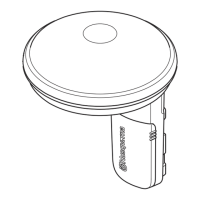
Illustrates and lists the physical components of the EPOS reference station and its accessories.
Depicts the EPOS system's operational flow, including satellites, signals, and data transfer.
Clarifies the meaning of various symbols found on the product and in safety contexts.
Emphasizes safety before starting the installation and introduces the process.
Lists the essential components required for the complete installation of the system.
Provides instructions on how to prepare the work area and gather necessary information before installation.
Offers detailed advice on selecting the optimal location for the reference station.
Guides on choosing a suitable location for the power supply unit, considering safety and airflow.
Explains how to position the charging station, considering work area and transport paths.
Provides further guidance on power supply placement, including protection from elements and cable management.
Details the requirements and precautions for installing virtual boundaries.
Instructions for placing map objects like boundaries near buildings and trees, considering signal interference.
Defines passages within the work area and how to configure them for product movement.
Explains how to determine the best locations for stay-out zones to prevent the product from entering certain areas.
Provides guidance on how to manage map objects and boundaries on sloped terrain.
Describes how to use a boundary wire in conjunction with the EPOS system for signal support.
Outlines the overall sequence for installing the EPOS system components.
Specific instructions for physically installing the EPOS plug-in module.
Details the initial configuration steps required after the product is powered on for the first time.
Explains the features and connectivity options of the Automower Connect mobile application.
Provides general instructions and safety warnings for installing the charging station.
Step-by-step guide for physically mounting and connecting the charging station.
Instructions on how to verify the charging station's operational status via its indicator lamp.
General guidelines for installing the reference station, emphasizing stability and signal reception.
Detailed steps for mounting the reference station bracket onto a wall.
Instructions for attaching the reference station bracket to a pole.
Describes how to securely connect the reference station to its installed bracket.
Explains how to add various elements like work areas and stay-out zones to the system map.
Details the process of using waypoints via the app to create virtual boundaries for map objects.
Step-by-step guide on using the app to define operational work areas with virtual boundaries.
Instructions for creating restricted areas (stay-out zones) using virtual boundaries in the app.
Guide on defining paths for the product to travel between locations without cutting grass.
Instructions on how to designate specific points for product maintenance within the work area.
Provides instructions and recommendations for cleaning the reference station safely.
Details the correct procedure for cleaning the EPOS plug-in module to avoid damage.
Introduces the troubleshooting section and where to find error messages within the app.
Lists common fault messages, their causes, and recommended actions for resolution.
Explains the different states and meanings of the LED indicator on the reference station.
Interprets the various colors and patterns of the LED indicator on the charging station.
Advises on proper methods for storing the reference station, especially during winter or for reinstallation.
Instructs users to comply with local regulations for the disposal of the product and its components.
Lists the dimensions and product data for the EPOS RS1 reference station.
Provides technical details such as input voltage and power consumption for the EPOS plug-in.
Details registered trademarks, including Bluetooth®, and their usage rights.
 General
| Brand | Husqvarna |
|---|---|
| Model | EPOS RS1 |
| Category | Control Systems |
| Language | English |

 To Next Page
