Need help?
Do you have a question about the Hwasung HMK-072 and is the answer not in the manual?
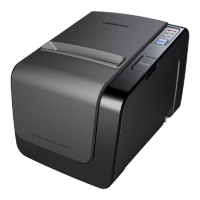
Overview of the printer's physical components and control elements.
Detailed technical drawings and measurements of the printer's physical size.
Explains the designation and types within the HMK-072 model series.
Step-by-step instructions for loading and replacing paper rolls.
Procedures for clearing paper jams to restore printer functionality.
Instructions on how to perform a self-test to verify printer operation.
How to print raw data for debugging and transmission status monitoring.
Guide for updating the printer's firmware from a PC.
Steps to recover the printer firmware if it fails to boot.
Setting communication parameters and memory switch options.
Details on configuring non-volatile memory settings for printer functions.
Key printing parameters such as mode, resolution, speed, and width.
Electrical specifications including drive and logic voltages.
Specifies the required torque for paper feeding.
The physical weight of the printer unit.
Recommended environmental conditions for normal printer operation.
Recommended environmental conditions for storing the printer.
Mean Cycles Between Failures for thermal head and auto cutter.
Details on serial communication settings, pinouts, and cable requirements.
Specifications for USB connectivity, including standard, connector, and data methods.
Guide to configuring printer properties via the Windows driver interface.
Steps for setting up paper feeding options within the printer driver.
Instructions for creating and using custom paper sizes in the driver.
Specifies ticket dimensions and blackmark placement for left-side detection.
Specifies ticket dimensions and blackmark placement for right-side detection.
Details on using the DLL functions for printer control via USB.
Important considerations and potential issues when using the USB interface.

 To Next Page
 General