52
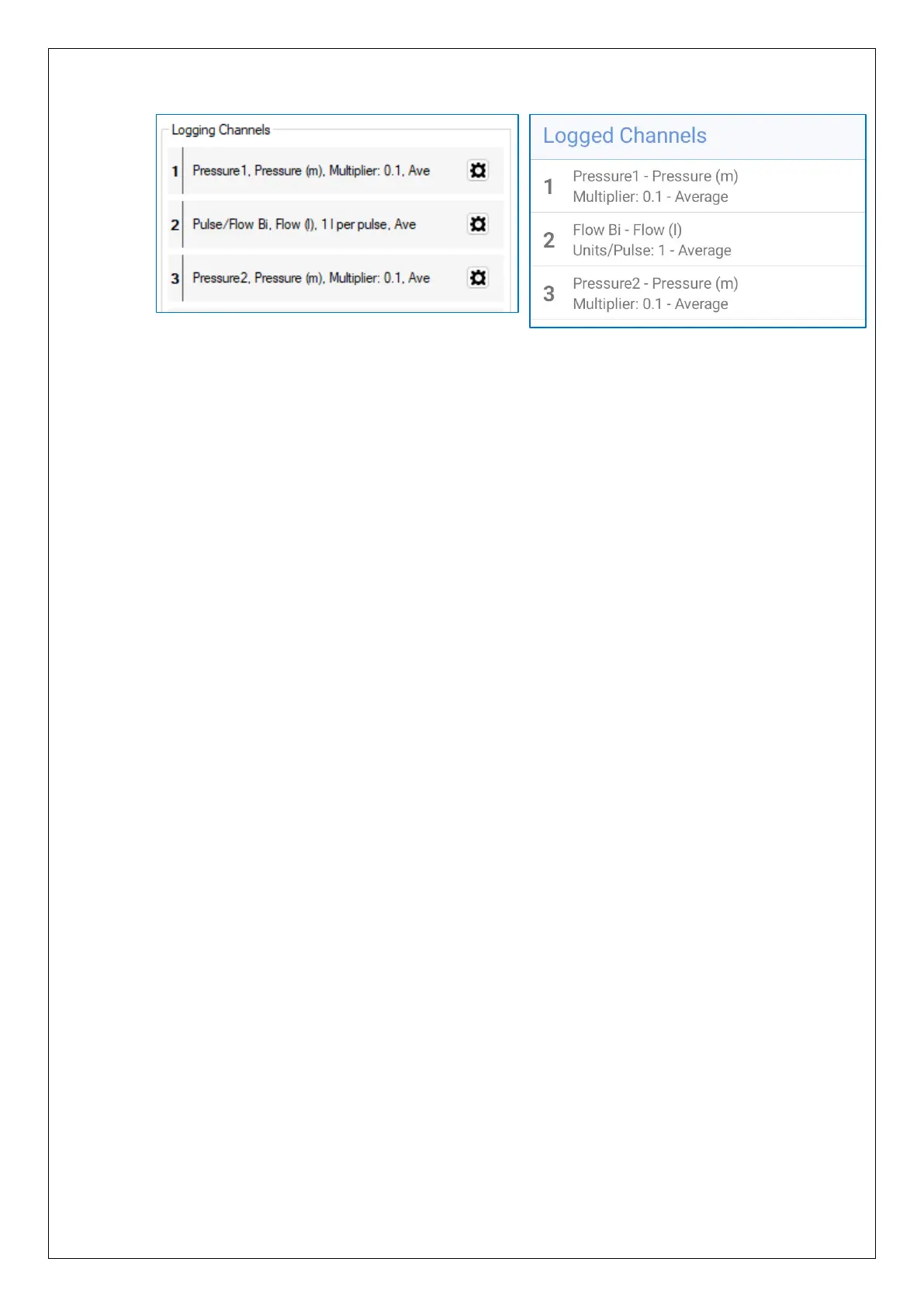
i.e., Channel 1
- Must use the Pressure1 interface.
- It must interpret the numeric data as Pressure.
- The recording unit must be set to ‘m’.
- The input multiplier must be set to 0.1 for internal pressure transducers.
(Calibration factors are applied in production such that each digit change
represents a decimetre (1/10m) of water pressure change.
Or, put another way, the number obtained when the interface is read has to be
multiplied by 0.1 to convert it to metres (m, the selected recording unit)).
- Offset is set to 0.
Channel 2
- Must use the Flow Bi interface or the Flow-Uni interface; These may be shown
as Pulse/Flow-Bi or Pulse/Flow-Uni on IDT.
- It must interpret the numeric data as Flow.
- The recording unit must be set to ‘ l ’ (i.e., litres).
- The Units per Pulse must use the appropriate meter factor to convert the site’s
meter pulses to litres.
e.g. (1) If 1 pulse represents 10 litres, “Units per pulse” should be set to “10”.
(2) If 1 pulse represents 1 UK gallon, “Units per pulse” should be set to
“4.54”; (This is the number of litres per 1 UK gallon).
Channel 3
- Must use the Pressure 2 interface.
- (All other settings must be set in a similar manner to Channel 1).
The “Logging Mode” of all channels should be set at “average” for Pegasus2; this
will smooth-out any noise (short fluctuations) in the readings and give a
representative value of pressure.
Note: The pressure range can be found from examination of the model number for
internal transducers, or a calibration details label on the cable of external
transducers supplied by HWM.
The steps required for setup (or checking) of each of the logged channels is similar in
nature to certain HWM loggers (e.g., Multilog2) and are described in the IDT user-guide;
Refer to the user-guide appropriate to the version of IDT you are using for details
(see section 1.6).


 To Next Page
 Loading...
