71
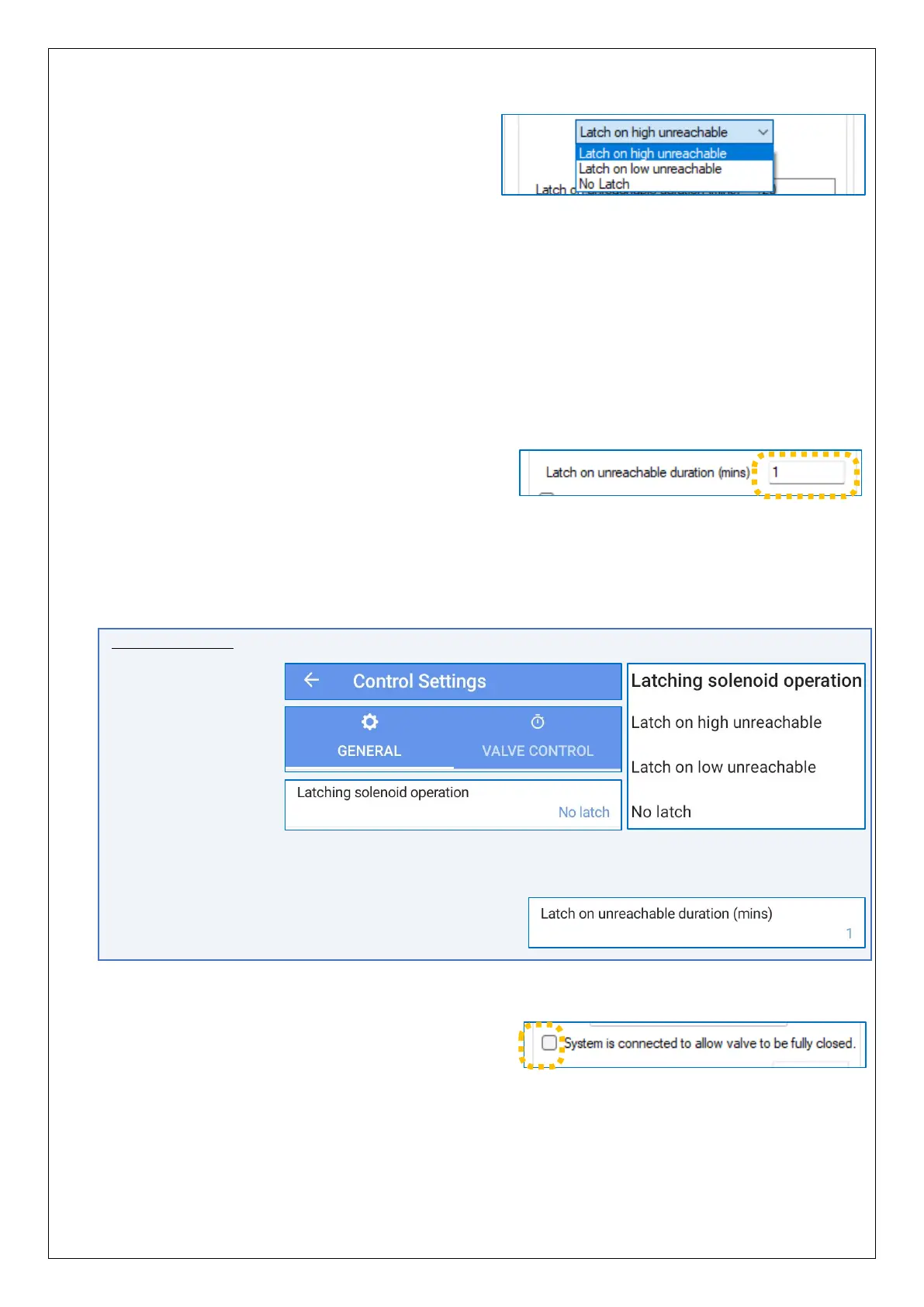
Options are shown opposite.
Caution: The setting you choose is dependent upon the desired behaviour of the
system, which will also affect the way that Pegasus2 is plumbed into the PRV
and its operation.
Certain settings and plumbing combinations can lead to undesirable
outcomes.
Refer to section 2.12.3 for an explanation of ‘high unreachable’ and ‘low
unreachable. Refer also to the description and applications identified in
sections 2.12.4, 2.12.5 (and subsections).
Select the option that matches the required system behaviour and plumbing.
The time period allowed for Pegasus2 to try to
reach a target pressure can be adjusted using
the “Latch on unreachable duration” setting.
Enter the timer duration in minutes.
If Pegasus2 is unable to reach its target pressure for this duration of time it will then
activate its latch circuit (to bypass control by the pilot).
IDT App users:
Equivalent controls
are located
as follows:
(main)
→ Configure Device
→ Control Settings
→ General tab.
Tap the ‘Latching solenoid operation’ line and select the option required.
(Refer to the Caution note, above).
The ‘Latch on unreachable duration’ (timer setting)
is also located here.
There is a setting called ‘System is connected to
allow valve to be fully closed’.
This is an important setting. It affects the
operation of the internal valves inside the unit; it swaps over their use for controlling
pressure up and down. It should be set according to the plumbing scheme used for
installation of the Pegasus2.
In summary:


 To Next Page
 Loading...
