77
Where flow control is enabled, the system looks at
the current flow through the PRV in order to decide
upon a target pressure.
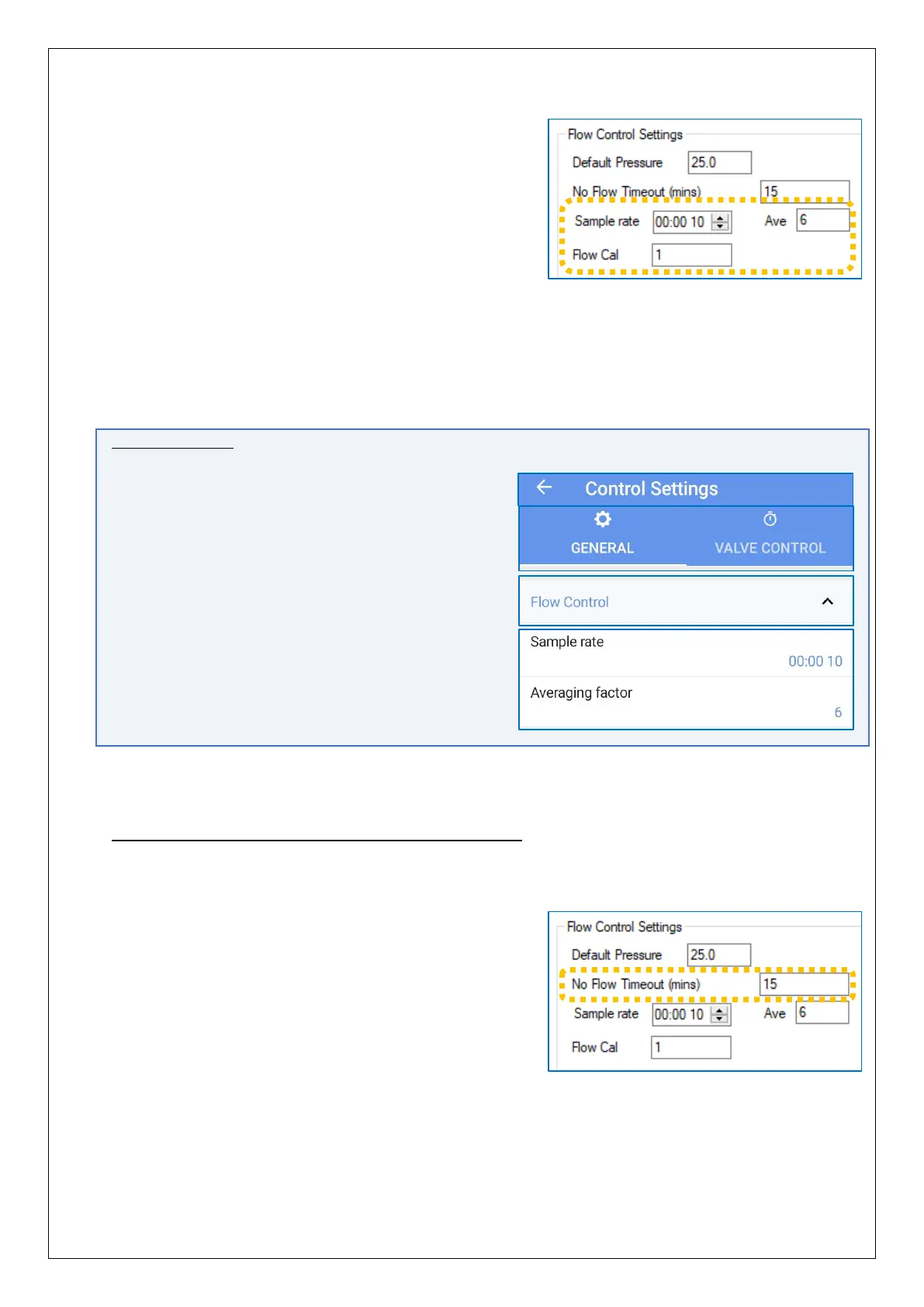
The “Sample Rate” determines how often a flow
measurement sample is taken for evaluation, for PRV
controller purposes only.
Some statistical function (average) is applied to
smooth out any fluctuation in the measurements which cause rapid and chaotic
changes to target pressures. Typically, the system samples every 10 seconds and uses
the average from the last 6 measurements to arrive at a target pressure.
“Flow Cal”, in the above picture, is a repeat of the calibration setting of the Flow channel.
(e.g. Units per pulse, for a flow pulse counter interface).
IDT App users:
Equivalent controls are located as follows:
(main) → Configure Device → Control Settings
→ General tab.
Tap the ‘Flow Control’ line to reveal the settings,
if hidden.
(There is no ‘Flow Cal’ field available on the IDT
app screen).
Settings for handling possible flow sensor issues
Since the pressure profile is dependent on Flow, certain settings in the Pegasus define
what should happen if a possible fault is detected with the Flow meter:
One condition that can register as a
flow-sensor fault is when there are no flow pulses
detected. This condition must exist for the time set
in the “No Flow Timeout (mins)” field before it is
recognised as a fault.
(No specific alarm is generated for this condition, but
it is included in the messages delivered to the server
during normal call-in).


 To Next Page
 Loading...
