80
4.21 SETUP FOR ANNUAL TIME ADJUSTMENTS
Some countries have a scheme for adjusting the local time annually to make the most
of available sunlight hours and for safety reasons. (e.g. British Summer Time, Daylight
saving). Since water usage patterns follow people’s behaviour, it is possible for Pegasus2
to be programmed to adjust its local clock to match the scheme and thereby
temporarily adjust effectivity times for any time-related pressure profile.
Refer to the IDT User Guide for details of how to set (or de-activate) this feature.
IDT App users:
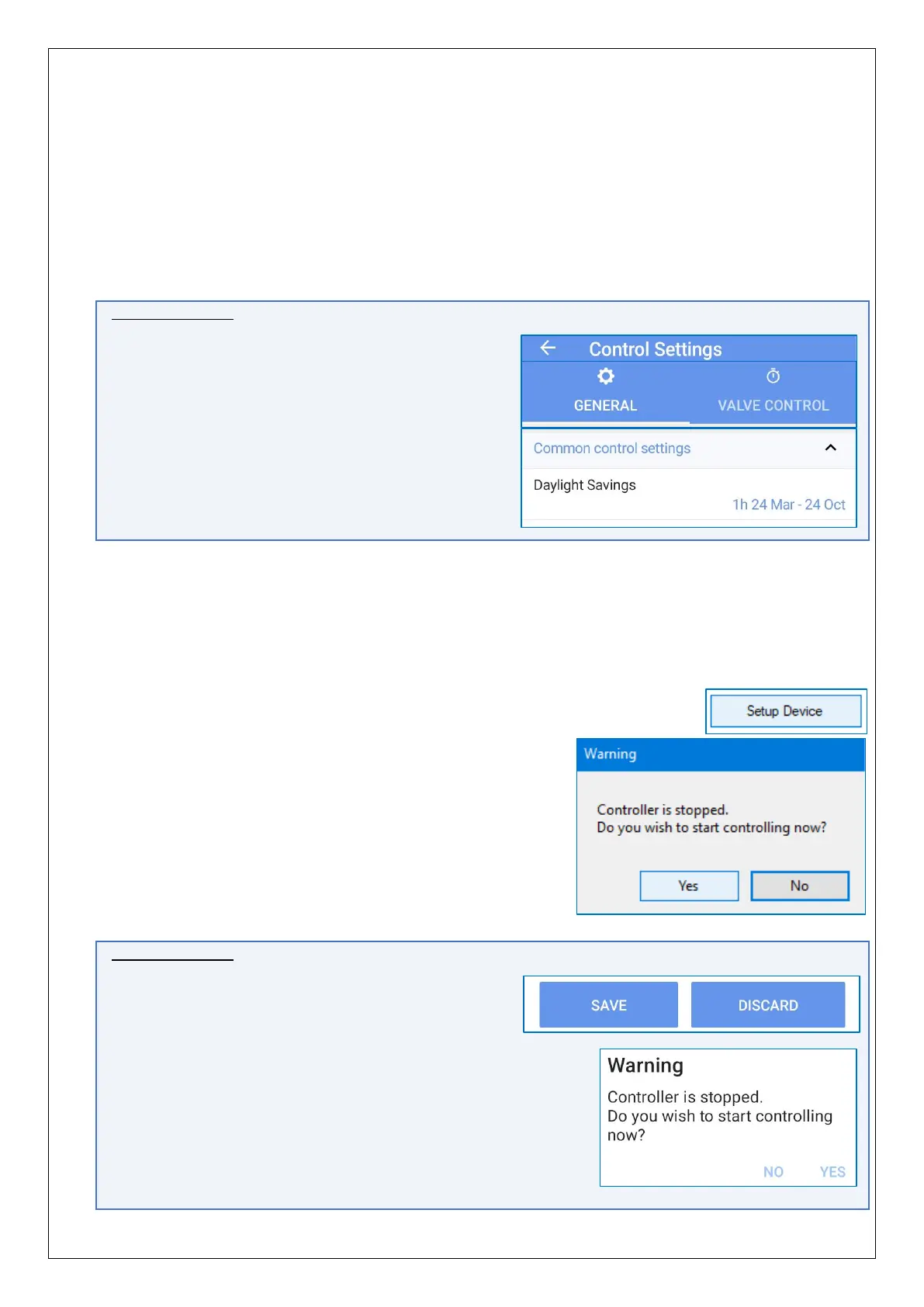
For convenience, the Daylight Savings control
settings (as available on IDT Device settings
screen, for loggers) are also shown within the
PRV Control Settings screen; either can be used.
4.22 SAVE PROGRAM & ACTIVATE PRV CONTROL
For Pegasus2 to be able to control the PRV using the current program settings (held by
the IDT program), IDT must send the settings to the unit, which must then store it.
Click on the “Setup Device” button, found within the
“setup” tab.
The process will proceed as described in section 2.7.1.
However, the installer must now ensure that Pegasus2
is fully activated.
Click on “Yes” when asked if you wish to start controlling
now (see sction 2.7.2).
IDT App users:
Whilst setting up PRV control tables, the user will
have buttons available to save the settings, when
complete.
After tapping on ‘Save’, settings are saved to the device and
the IDT app.
The IDT app checks if the PRV control is running. If it is not,
then the user is prompted if it is required to start now.
Tap on ‘Yes’; the control is re-started (see sction 2.7.2).


 To Next Page
 Loading...
