79
IDT App users:
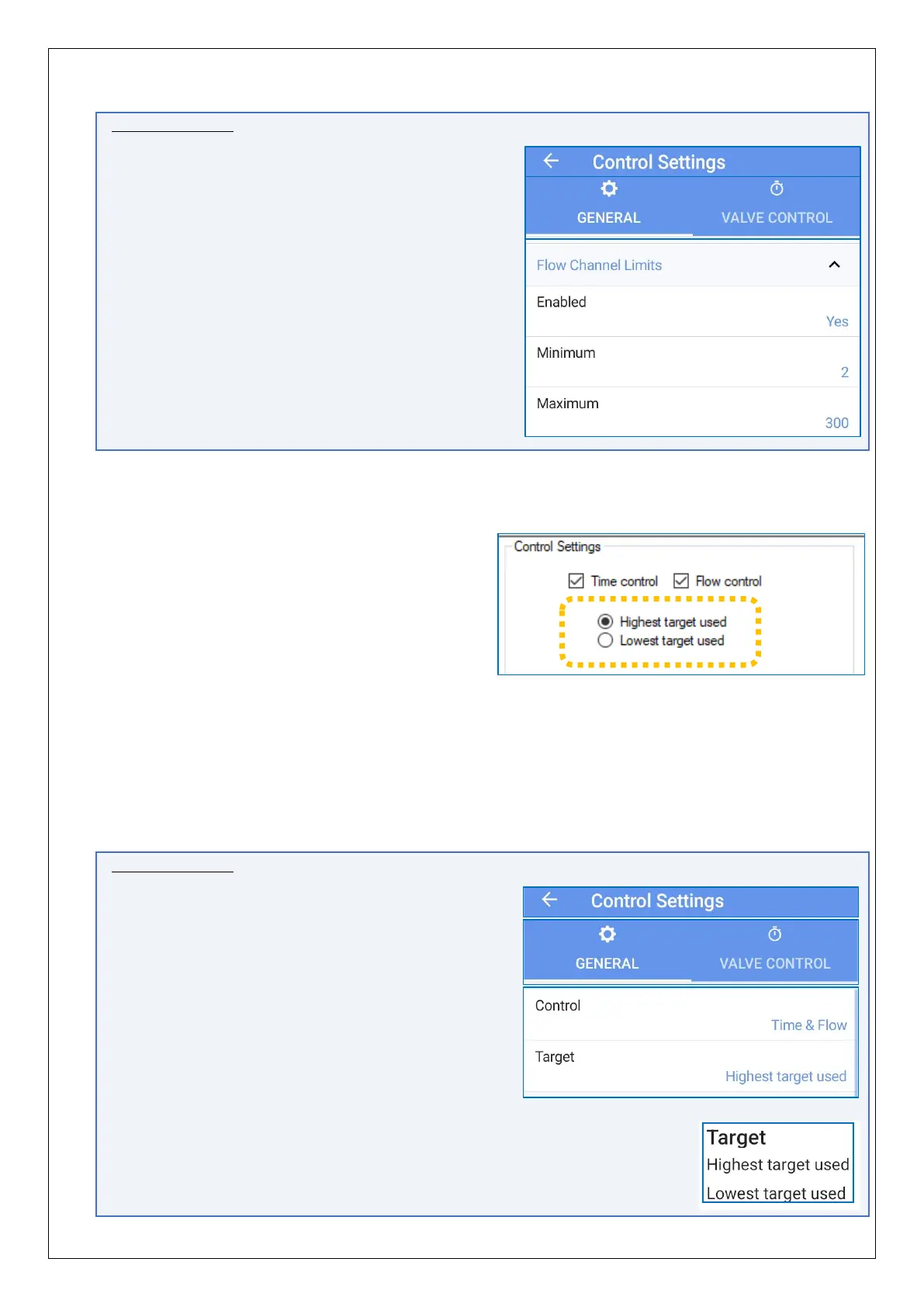
Equivalent controls are located as follows:
(main) → Configure Device → Control Settings
→ General tab.
Tap the ‘Flow Channel Limits’ line to reveal the
settings, if hidden.
(When ‘Enabled’ is set to ‘Yes’, the Minimum and
Maximum fields are also shown)
4.20.3 Setup of pressure control using a combined Time and Flow profile
To use a pressure profile that is based on both
time and Flow, tick both the “Time control”
and “Flow control” options. Then continue to
set up both options, as previously described
(see sections 4.20.1 and 4.20.2).
… An additional choice becomes visible,
(Which target should be used?)
With both options enabled, the controller has to evaluate both tables in order to
determine the target pressure.
• It calculates a pair of candidate target pressures (one from each profile table),
using the regular process for each of the profiles.
• The chosen option then determines whether the controller works to meet the
highest or lowest of the candidate values as its pressure target.
IDT App users:
Equivalent controls are located as follows:
(main) → Configure Device → Control Settings
→ General tab.
Tap on the Control line and select ‘Time & Flow’.
Continue to set up both options, as previously
described (see sections 4.20.1and 4.20.2).
An additional line, called ‘Target’ is available.
Tap the line.
Then select the required option (Highest or lowest
of the Flow and Time control tables)


 To Next Page
 Loading...
