75
4.20.2 Setup of pressure control using a Flow profile
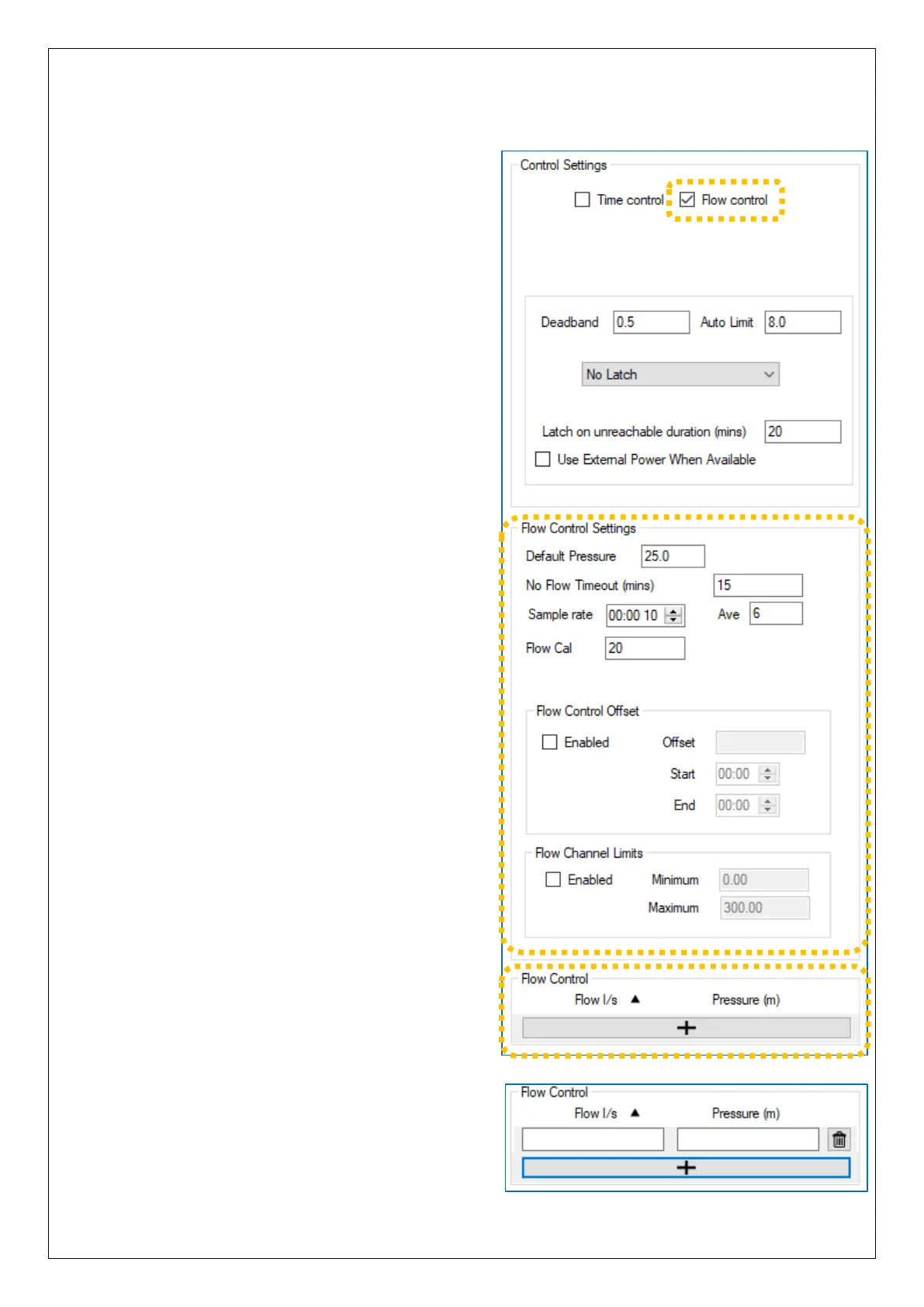
To use a pressure profile that is based on
Flow, tick the “Flow control” option.
… A “Flow Control Settings” panel will
appear with additional options to set.
(These will be discussed later).
The “Flow Control Offset” should usually
be set to “not enabled”.
… and a “Flow Control” table will be shown
following the main Control Settings panel.
The table shown is blank; there are no entries.
To enter a line into the table, click on the “ + ”
button.
… A new line is added, which can be
edited with the required settings.
(The table has a capacity of up to 32 lines).



 To Next Page