73
4.20.1 Setup of pressure control using a Time profile
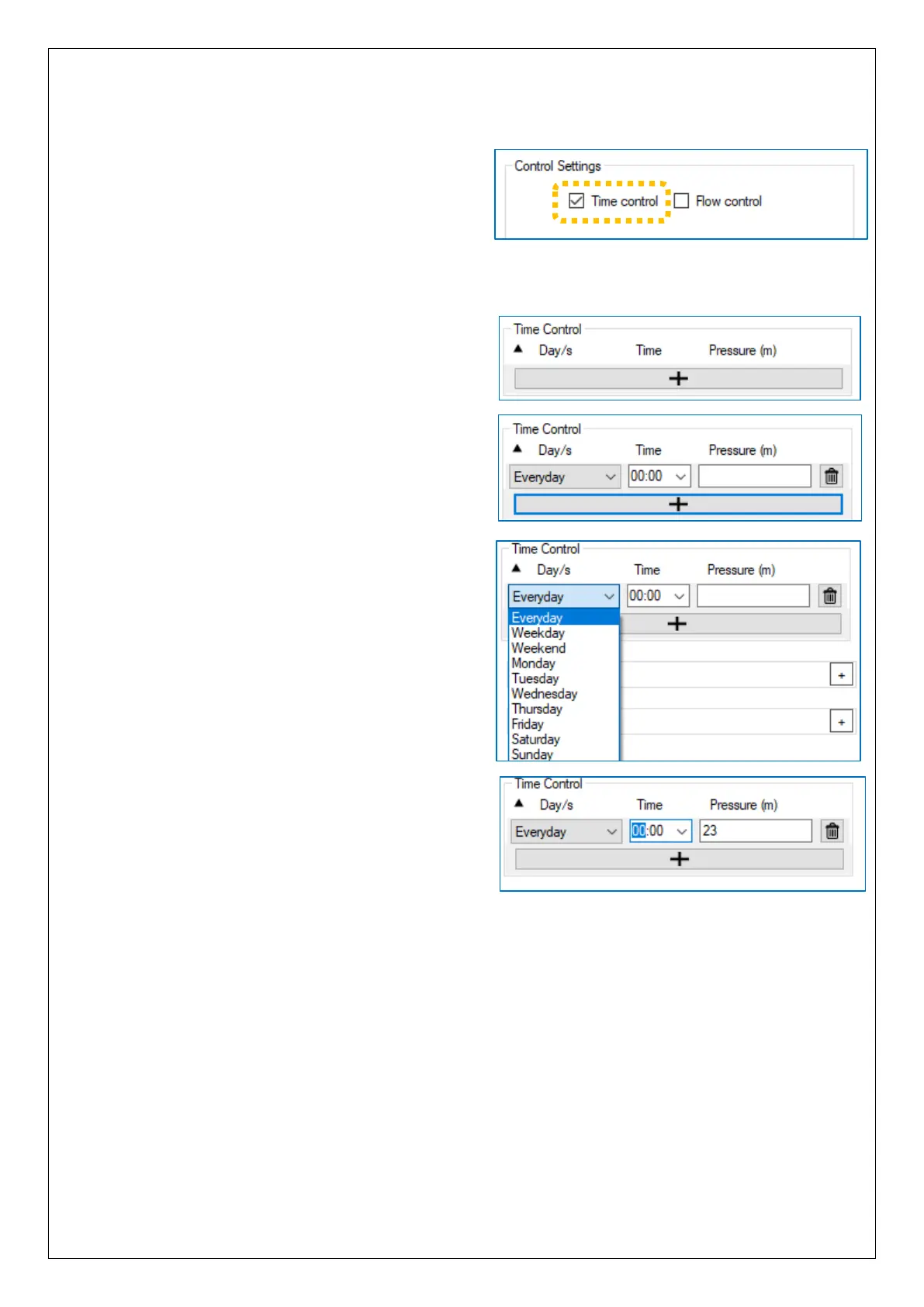
To use a pressure profile that is based on
time, tick the “Time control” option.
(When “Flow Control” is disabled, flow does
not participate in control decisions, but is still
logged).
… A “Time Control” settings table will appear following the main Control Settings panel.
Currently (in the illustration), the table is
blank; there are no entries visible.
To enter a line into the table, click on
the “+” button.
… A new line is added, which can be
edited with the required settings.
(The table has a capacity of up to 32 lines).
The Time Control pressure profile can be built
as a table of days, times, and pressures.
Target pressure is always set using units of
“m” (metres).
Each line requires a start time, and a selection
of which day / set of days the setting will be
relevant to.
The day selections can be mixed.
To enter a time, select either the hours or
minutes digits and over-write them with your
settings.
The Time Control profile does not cause a step-change (an immediate switch-over) to
the new target pressure whenever reaching an entered time. Rather, there is a linear
interpolation between the target pressures stored the profile; the pressure ramps up
(or down) between each setting.
e.g. If the table requires 30m at 07:00 and 40m at 08:00, the target pressure
at 07:30 will be 35m.
Lines can be added to IDT in any order. After the program has been saved to the device
and read back, the profile can be checked; the lines will be re-sequenced according to
time of change. Confirm the settings match your expectations.


 To Next Page
 Loading...
