92
9.1.2 Putting the equipment into Shipping Mode
Before long term storage, moving an installed unit, or shipping for repair, the Pegasus2
unit should have the PRV control stopped and then it should be put into “Shipping
mode”. Be sure to upload any unsent data before this operation.
To stop the PRV control:
Read the current configuration of the
Pegasus using IDT.
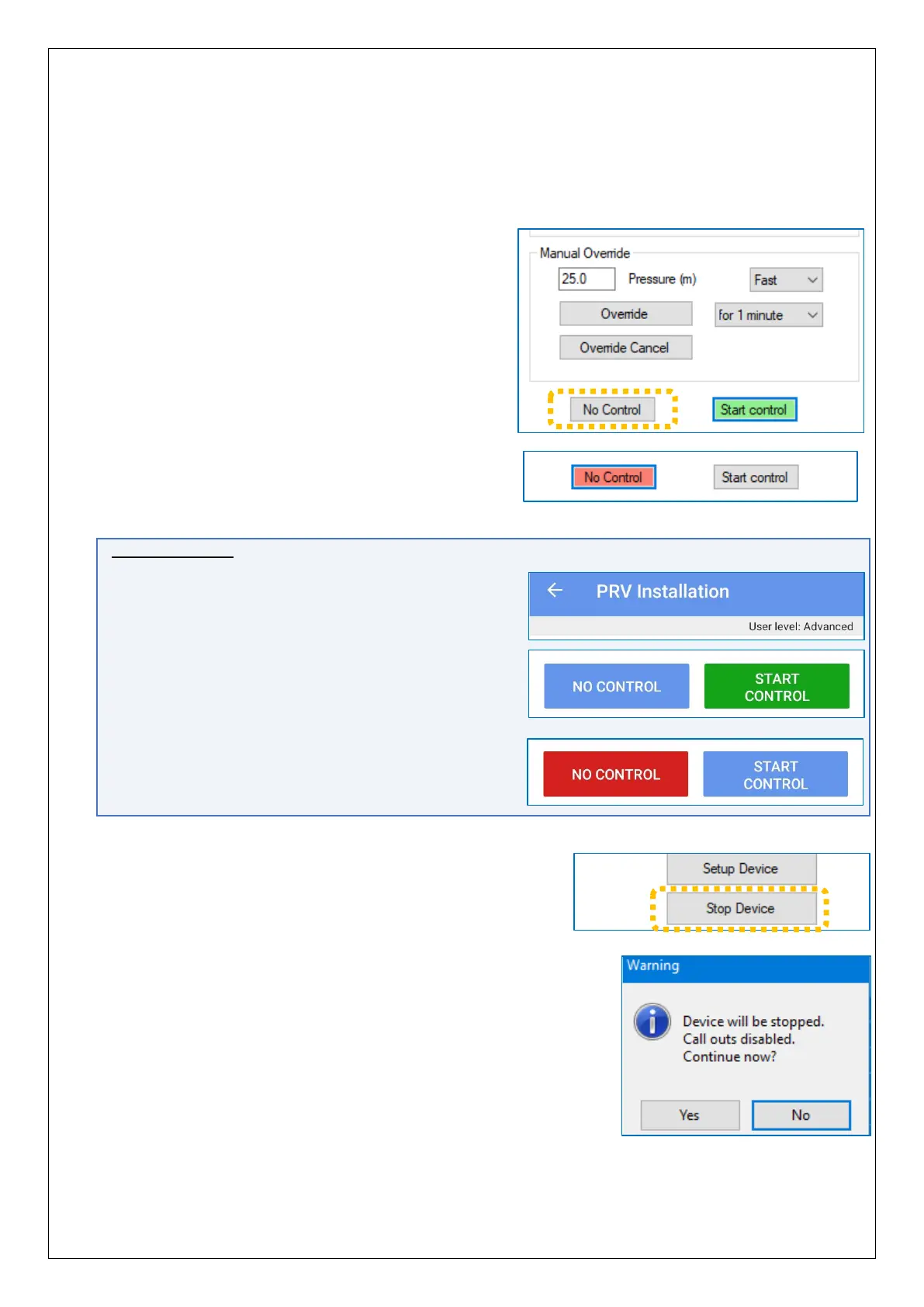
From within the “PRV Installation” tab, click
on the “No Control” button.
Wait until the button has turned pink; PRV control
process is now inactive.
IDT App users:
Equivalent controls are located as follows:
(main) → Test Device → PRV Installation
Tap on the ‘No Control’ button.
After a few seconds the button will change to red,
indicating the PRV control process is now inactive.
To put the Pegasus 2 into shipping mode:
From within the “Setup” tab, scroll to the end of the
settings panels and click on the “Stop Device”
button.
Click “Yes” when warned that calls will be stopped.


 To Next Page
 Loading...
