D. DURING CONVERSATION
12
To retrieve by other Extension:
→ . At other Extensions, the LED of the CO goes steady.
Press the CO key, Busy Tone will be heard, then
press [HOLD].
D.03 Conference
An Extension user can make a Conference with two or more parties. (Either outside or inside.)
Up to 5 parties of 3 members or a single conference up to 15 members are permitted.
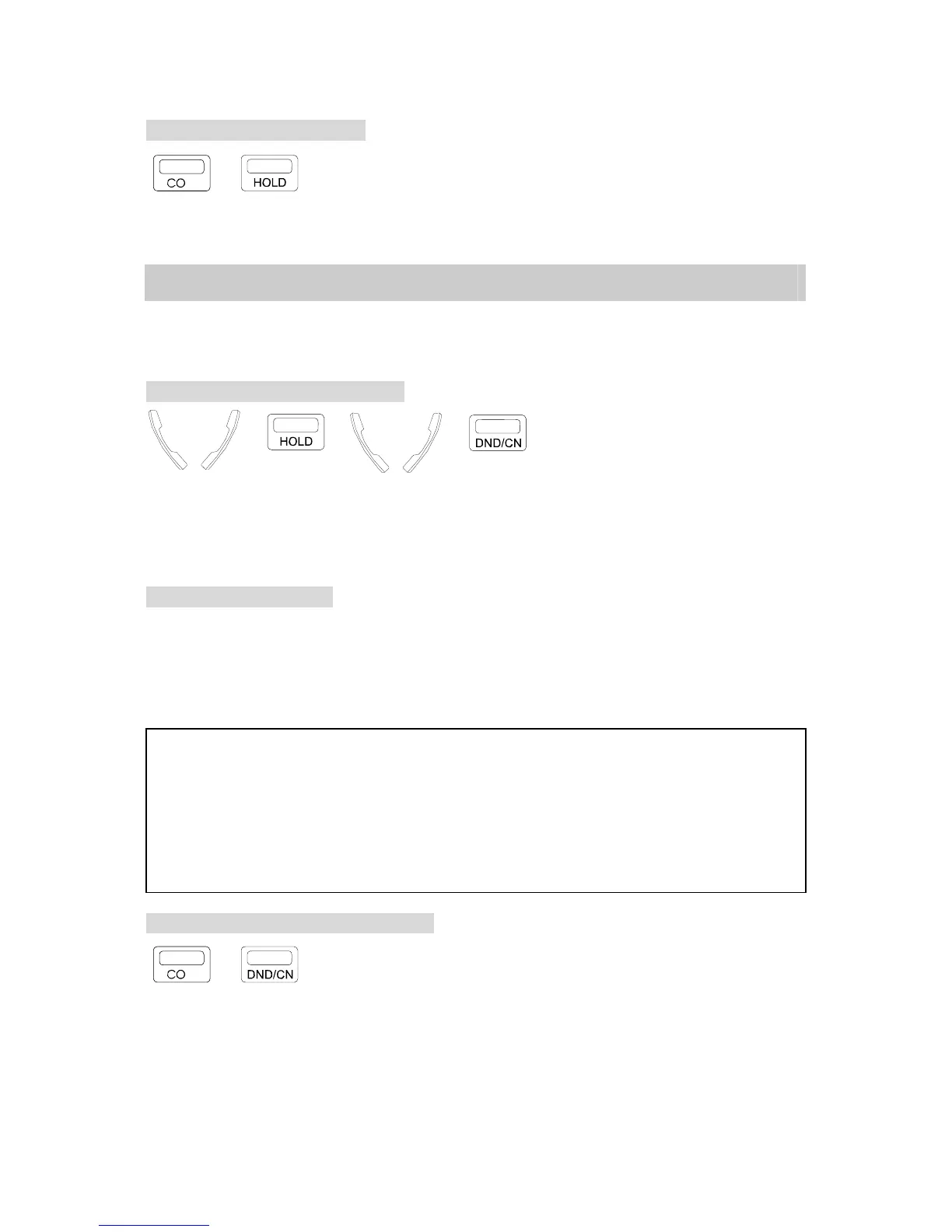
Conference with two outside parties:
<=A → → <=B →
. In conversation with the 1st outside party.
. Press [HOLD] key to hold the 1st party.
. Make the second outside call.
. Press [DND/CN] when the 2nd answers, all three
parties are connected.
Unsupervised Conference:
. To leave an existing conference in place, press the [DND/CN] conference key and hang up.
. Remaining members are granted up to 4 minutes of time for their unsupervised conference.
. A warning tone is provided 10 seconds before the termination of the conference period.
. Members can press any key 0-9 (Note1) to extend the time an additional time period.
NOTE:
1. A CFC conference card is needed for this feature in the G1-824.
2. A VMC card is needed for this feature in the G1E.
3. In order to provide the capability to extend time on the unsupervised conference the G1-824 system must be
equipped with either a Single Line Station Card (SLC-8) or a Voice Service Card (VSC).
4. The unsupervised conference period is programmable from 1 minute to 4 in one minute increments.
5. When you hang up, the other two parties can not converse with each other unless you press [Hold] key again
before hanging up. The other two parties can then have three minutes for conversation, and either of them can
dial a digit (0-9)--DTMF signal--for three more minutes. (Optional)
To Rejoin An Unsupervised Conference:
→ . Press either CO keys (light) of the two CO lines,
A Busy tone is heard.
. Press [DND/CN] key.
OR
Simply lift the handset and press the [DND/CN] key.


 To Next Page
 Loading...