24
d6 Gas exhaust temperature
0℃~C5℃ (125℃)
Real testing value
d7 Step of EEV
0~99
N*5
d8 Compressor running frequency
0~99Hz
Real testing value
d9 Compressor current
0~30A
Real testing value
d10 Current fan speed
0-1200 (rpm)
Real testing value
d11 Error code for last time All error code
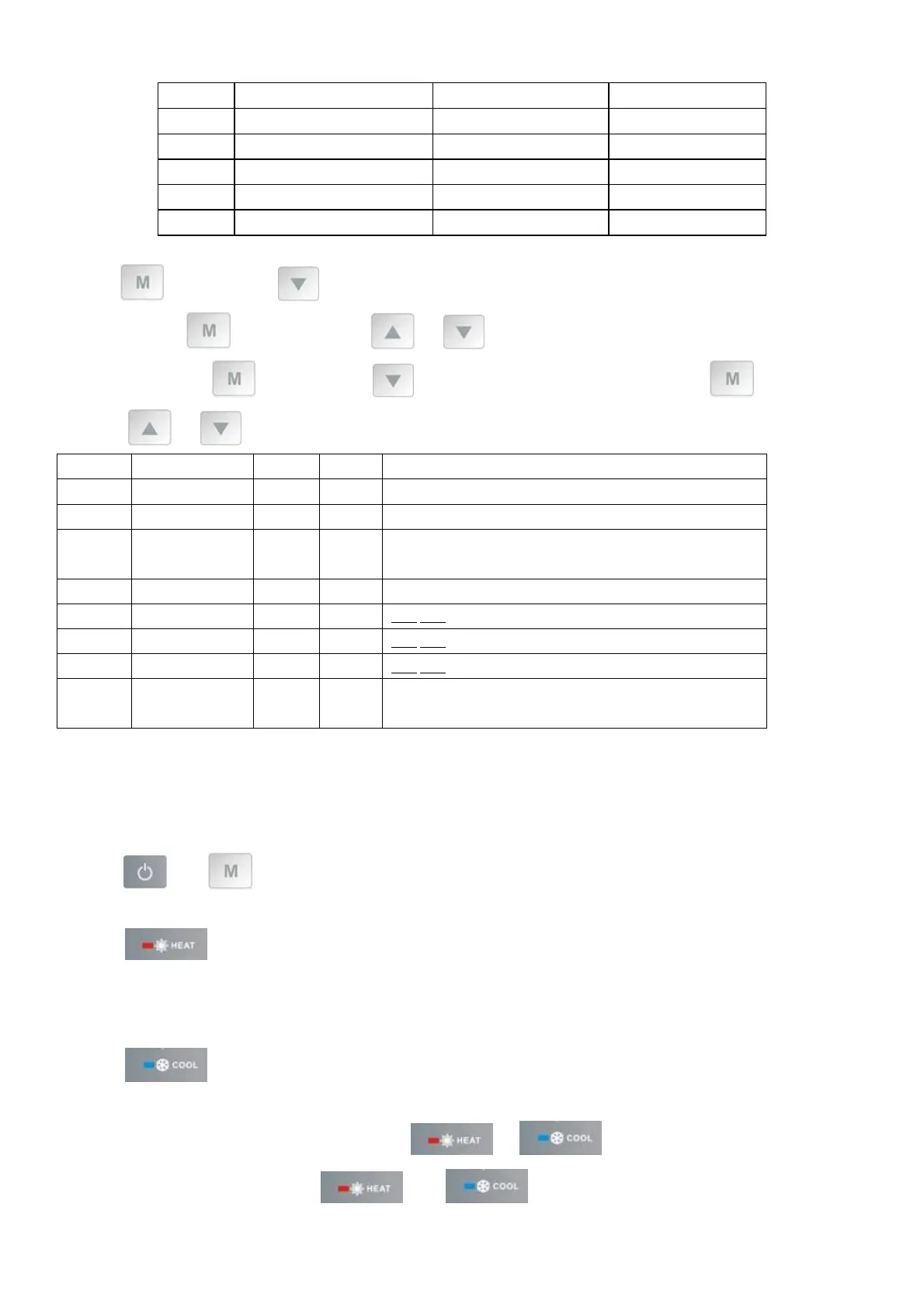
Press first, then press to check the “ User parameter from P0 to P7
If needed, press second, then press or to adjust the current parameter.
(for example: Press first, then press to enter parameter P7 checking, and press second, then
press or to adjust the parameter P7 Inlet water temp. Correction from -9 to 9.)
Code Name Scope Default
Remark
P0 Manual defrost 0-1 0 1 Manual defrosting mode, 0 Normal mode
P1 Working mode 0-1 1 1 Heating mode
,
0 cooling mode
P2 Timer on/off 0-1 0
1 Timer on/off is under function
,
0 Timer on/off is out of
function (The setting of P4 and P5 won’t work)
P3 Water pump 0-1 0 1 Always running
,
0 Depends on the running of compressor
P4 Current time HH:MM
00:00
0-23:0-59
P5 Timer on HH:MM
00:00
0-23:0-59
P6 Timer off HH:MM
00:00
0-23:0-59
P7
Inlet water temp.
correction
-9~9
0 Default setting: 0
NOTE: Under defrosting mode, P0=1.
After defrosting finished, it will be automatic enter Normal mode, P0=0.
6.2.4 System reset function
Press and in 10s, the system will reset and display “0000” on the controller.
6.2.5
Symbol of heating, the light will be on when it is in operation.
When defrosting, the light will flash.
6.2.6
Symbol of cooling, the light will be on when it is in operation.
Note: When parameter P1 is on checking/adjusting, and will be flashing at the same time.
When there is on Automatic mode, and will be lighting at the same time.


 To Next Page
 Loading...