Need help?
Do you have a question about the Hydro digidoor 6 and is the answer not in the manual?
Emphasizes reading the manual carefully before installation and use.
States that installation must be done by a qualified and licensed person.
Warns of property damage and severe injury from unqualified installation or repair attempts.
Installers must be familiar with local regulations for opener installation.
Unqualified personnel must not carry out installations or implement systems.
Installers are responsible for any damage resulting from incorrect installation or non-compliance.
Recommends a Photo Cell for increased operating safety and peace of mind.
Lists all items provided in the package, including manual, transmitters, motor, and hardware.
Lists necessary tools such as marker pen, wrenches, screwdriver, drill, and ladder.
Details maximum door weight, height, curtain area, and shaft diameter for compatibility.
Specifies the minimum clearance required from the curtain edge to the bracket.
How to test the door's balance for sticking points and spring rebound.
Advises against damp/outdoor installation and on doors with pass-doors.
Step-by-step guide for attaching the weight bar to the door.
Method to fix the curtain into the drum wheel using screws to prevent ballooning.
Instructions on installing and using the manual release handle for power outages.
Specifies the correct mounting height for the release handle and cord.
Detailed steps for releasing and locking the opener's clutch.
Information on choosing between left or right side installation and necessary settings.
Guide on attaching extension poles if the drive leg does not reach the roller door.
Detailed procedure for installing the opener on the right-hand side of the door.
Overview of the control panel's standby display, buttons (SET, CODE, UP, DOWN, L/R), and LEDs.
Instructions for basic operations like open/close, menu navigation, and remote control pairing.
Covers settings for installation side, auto-closing, force margin, and factory resets.
Step-by-step guide to manually set the door's upper and lower travel limits.
How the system learns the door's travel path and force values for optimal operation.
Configures the motor's speed reduction before stopping to minimize impact.
How to set the duration and condition for the automatic closing feature.
Recommendations for using auto-closing with safety sensors for enhanced security.
Instructions on setting the time delay before the LED indicator turns off.
How to configure a specific partial opening height for the door.
Notes on using remote buttons for partial opening and interaction with auto-closing.
Guides on activating or deactivating the photo cell safety feature.
Explains how to interpret and resolve the E6 error related to photo cell function.
Procedure to test the door's automatic reverse safety mechanism.
Details on connecting the optional photo cell device.
Explains the use of interfaces for external buttons, warning lights, and fire alarms.
Lists key technical parameters like voltage, load capacity, speed, and compatibility.
A guide to identifying and resolving fault codes E0 through E8.
Solutions for problems like no power, dim LED screen, or system errors.
Steps to fix issues with remote controls, battery power, and wireless interference.
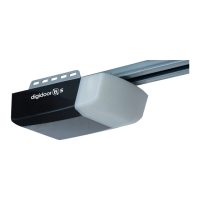
Visual guide and list of all parts included in the opener package.
Recommended daily and periodic checks for optimal door opener performance.
Details on conditions that void the product warranty.
The Digidoor 7 Roll-Up Door Opener is a quality access technology product from Hydro, designed for automating roll-up garage doors. This device is intended for installation by technically qualified and licensed personnel to ensure safety and proper operation.
The Digidoor 7 is a roll-up door opener that automates the opening and closing of garage doors. It features a manual release mechanism for operation during power outages or emergencies, allowing the door to be controlled by hand. The opener incorporates a pressure-sensitive Safety Obstruction Force system, which causes the door to reverse automatically if it encounters an obstacle during closing. For enhanced safety, the addition of a Photo Cell is strongly recommended. The device supports both left and right-side installations, with a factory default setting for right-side installation. It includes an extension bar for installations where the drive leg does not touch the roller door and reel spokes. The control panel allows for various settings, including stroke limits, slow stop function, automatic closing time and conditions, LED off delay time, and partial open/height settings. It also supports remote control coding and clearing.
 General
| Brand | Hydro |
|---|---|
| Model | digidoor 6 |
| Category | Door Opening System |
| Language | English |


 To Next Page