Hydrological Services Pty Ltd
Data Logger Model ML1-420
© Copyright
ML1-420 100-32 Issue 1.00 6 Apr, 2011
Appendix A. Interfacing to a Modem
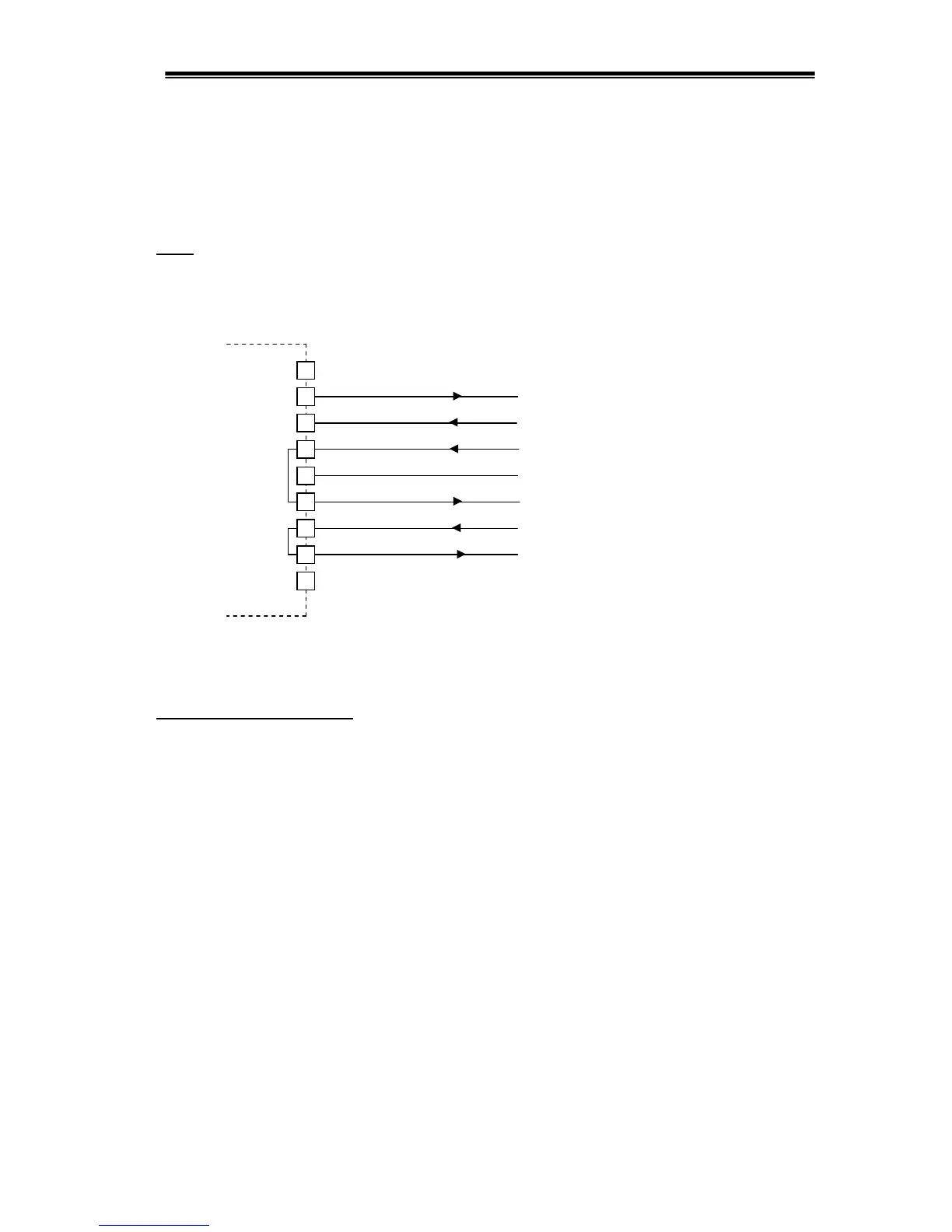
The MiniLog may be connected to a modem to allow remote communications.
The MiniLog only uses Tx and Rx for communications, however, the modem handshake lines
must also be connected to provide power for the MiniLog during the communication session.
These handshake lines are looped together inside the MiniLog as shown.
Hardware Connections - Basic Modem Interface
Standard Modem Settings
Before a modem is put into service, the following settings should be programmed into the
modem. Simply connect the modem to your PC using the cable supplied with the modem, and
run a program such as WinComLog or Hyperterm. Type AT<CR> and you should get an
“OK” response. Then set the following commands in the modem :
ATE0 Turn off character echo
AT&C0 DCD is always on
AT&D0 DTR is ignored
AT&S0 DSR is always on
ATS0=2 Auto-answer after 2 rings
AT&W Save these settings (they will be restored on the next power up)
It is best to turn the MiniLog “RE” parameter OFF when connected to a modem, so that the
MiniLog and the modem don’t engage in endless “Command Error” conversations.
Some modems require a specific sequence to hangup correctly. Enter these sequences into the
CLEAR1/2/3/4 parameters and use the BYE command and then the “Hangup” button to close
the communication session.
Wavecom
M1306B
1
8
MiniLog
ML1-420
2
3
4
5
6
7
9
DB9
Female
4DTR
Tx
Rx
RTS
Gn



 To Next Page