size:228x153mm
INSTRUCTION
TWO DIAL WATER TIMER
MODEL#YL21129
PROGRAM TIMER
1. Set Frequency (determine how often you will water,
from 1 hour to 1 week.)
2. Set Run Time (determine how long to water, from 1
minute to 120 minutes.)
NOTE: The first watering will start X hours later, X is
the set Frequency hours.
WARNING
Frequency should always be longer than Run Time.
(Example: Frequency=1H, Run Time=90 minutes, is
NOT a valid setting.)
⑤Frequency knob
Determine how often you will water, from 1 hour to
1 week.
⑥Run Time knob
Choose how long to water, from 1 minute to 120
minutes.
⑦Male snap-on connector
Connect hose attachment to the male snap-on
connector ⑦ at the bottom of the timer.
⑧ Delay button
To delay the start watering time,press Delay button
for more than 3 secs until led is constantly ON, then
each press of delay button means 1 hour delay of
the next start watering time.(EXAMPLE 3)
⑨ Led indicator
Led indicator flashes once every 4 seconds.
WARNING
Replace with new batteries if led indicator flashes
quickly or on steady.
⑩ Filter
Filter traps dirt particles and prolong life of timer.
WARNING
Clean filter regularly and replace if worn.
① Battery compartment & ② Battery compartment
cover
Slide out the battery compartment ①, and insert 2x
(LR6/AA) 1.5V alkaline batteries.
WARNING
a. Use only fresh alkaline batteries at the beginning of
the season. DO NOT use rechargeable batteries.
b. Test the unit by turning the Run Time knob to ON
position. You should hear the sound of the motor
within 10 seconds. If you do not hear the sound,
check if the batteries are installed correctly.
c. Turn Run Time to OFF position before connecting
to tap.
③ 3/4'' Tap adaptor & ④ Collar ring
Turn loose the collar ring ④ until the tap adaptor ③
is unlocked, screw the tap adaptor ③on to the tap
tight and then lock them tight with the collar ring ④.
WARNING
DO NOT use spanners or pliers to avoid damage to the
timer.
TIMER FEATURES
⑦
⑤
③
⑩
④ ⑨
⑧
①
⑥
INSTRUCTION
HYDROSURE WATERING
TAP TIMER
SKU 350010101
BATTERY COMPARTMENT &
BATTERY COMPARTMENT COVER.
Slide out the battery compartment
,
and insert 2x (LR6/AA) 1.5V alkaline batteries.
WARNING
a. Use only fresh alkaline batteries at the beginning of
the season. DO NOT use rechargeable batteries.
b. Test the unit by turning the Run Time knob to ON
position. You should hear the sound of the motor
within 10 seconds. If you do not hear the sound,
check if the batteries are installed correctly.
c. Turn Run Time to OFF position before connecting
to tap.
3/4’’ TAP ADAPTOR &
COLLAR RING
Turn loose the collar ring
until the tap adaptor
is unlocked, screw the tap adaptor
on to the tap
tight and then lock them tight with the collar ring
.
WARNING
DO NOT use spanners or pliers to avoid damage to the
timer.
FREQUENCY KNOB
Determine how oen you will water, from 1 hour to
1 week.
RUN TIME KNOB
Choose how long to water, from 1 minute to 120
minutes.
MALE SNAP-ON CONNECTOR
Connect hose attachment to the male snap-on
connector
at the bottom of the timer.
DELAY BUTTON
To delay the start watering time, press Delay button
for more than 3 seconds until led is constantly ON, then
each press of delay button means 1 hour delay of
the next start watering time. (EXAMPLE 3)
LED INDICATOR
Led indicator flashes once every 4 seconds.
WARNING
Replace with new batteries if led indicator flashes
quickly or on steady.
FILTER
Filter traps dirt particles and prolong life of timer.
WARNING
Clean filter regularly.
PROGRAM TIMER
1. Set Frequency (determine how oen you will water,
from 1 hour to 1 week.)
2. Set Run Time (determine how long to water, from
1 minute to 120 minutes.)
NOTE: The first watering will start X hours later, X is
the set Frequency hours.
WARNING
Frequency should always be longer than Run Time.
(Example: Frequency=1H, Run Time=90 minutes, is
NOT a valid setting.)

 Need help?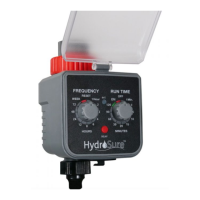

 To Next Page
 General