EasyManua.ls Logo

HydroTherm MultiPulse AM Series - User Manual

HydroTherm MultiPulse AM Series
48 pages
Print Icon
To Next Page IconTo Next Page
Loading...
AMP8-1203
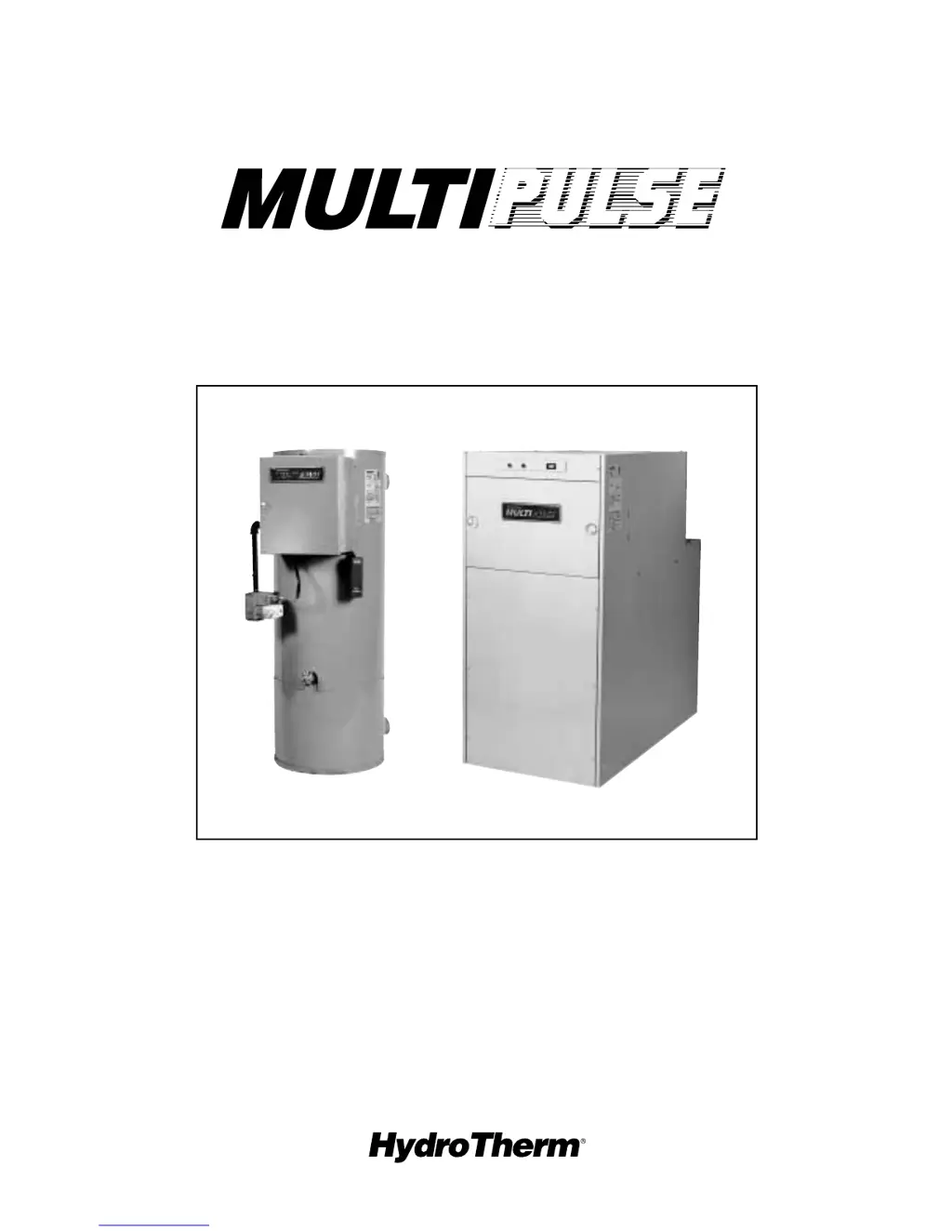
AM SERIES PULSE BOILER
TROUBLESHOOTING GUIDE
FOR CERTIFIED CONTRACTORS ONLY
®
5211 CREEKBANK ROAD
MISSISSAUGA, ONTARIO L4W 1R3 CANADA
(905) 625-2991 • FAX (905) 625-6610
260 NORTH ELM STREET
WESTFIELD, MA 01085
(413) 568-9571 • FAX (413) 568-9613

Table of Contents

Questions and Answers

  • M
    Michael GeorgeAug 8, 2025
    How to troubleshoot a HydroTherm boiler that is not running?
    • J
      Joshua BrownAug 8, 2025
      If your HydroTherm boiler isn't running, first check the circuit breaker at the disconnect switch and the supply wiring to ensure they are properly connected and supplying 115V. Also, check the rocker switch: if it's not providing 115V, inspect its wiring. If the wiring is intact, replace the switch. Finally, if the amber light is on and there's 115V present, the switch may need replacement.
  • E
    Ernest WardAug 14, 2025
    What to do if GC-4A light is OFF and Red light is ON in HydroTherm MultiPulse AM?
    • B
      Brian RobertsAug 14, 2025
      If the GC-4A light is OFF, the Red light is ON on your HydroTherm boiler, start by checking the wiring. Make sure the screw is not loose; if it is, secure it. Also, ensure that the wires are on a common screw; if not, rewire the grounds. If 24V is present, reattach the connector to the GC-4A. If the GC-4A light remains OFF after 10 seconds, replace the GC-4A.
  • C
    Chase WuAug 20, 2025
    What to do if GC-4A light OFF, Red light OFF, Amber light ON in HydroTherm boiler?
    • S
      Spencer DaviesAug 20, 2025
      If the GC-4A light is OFF, the Red light is OFF, and the Amber light is ON on your HydroTherm boiler, check the thermostat and other operational controls, adjusting or replacing them as needed. If the GC-4A and/or Red Lights come ON, the high limit might be set too low or is defective; compare the supply water temperature to the limit setting. If the settings are correct, replace the limit. Also, if there is no 24V, replace the transformer. If 24V is present, reattach the connector to the GC-4A. If the GC-4A light remains OFF, replace the GC-4A (and the Red lamp if it's also OFF). If there's no 24V, inspect the wires (including grounds) and wire connections until 24V is established. If required, replace the wire harness.
  • K
    Kathy BakerAug 27, 2025
    What does it mean when GC-4 light is BLINKING on HydroTherm MultiPulse AM Boiler?
    • O
      olongAug 27, 2025
      If the GC-4 light is blinking on your HydroTherm boiler, check the wire and connectors for continuity and reconnect the Molex to GC-4A. Then, run a Fan Prove Switch check. If the boiler starts, the (PS2) pressure switch is defective, so replace it.
  • A
    Amanda JohnsonAug 31, 2025
    What to do for blocked exhaust line in HydroTherm boiler?
    • C
      Christina HernandezAug 31, 2025
      If the measured pressure remains above 'normal' in your HydroTherm boiler, and there is a muffler in the exhaust line, proceed to the 'BLOCKED MUFFLER' check. If there is no muffler, examine the exhaust line and terminal for any blockage.

Summary

SECTION 1: OPERATION

BOILER OPERATING LIGHTS

Details the function and location of Amber, Red, Green, and GC-4A indicator lights.

SEQUENCE OF OPERATION (WITH LIGHTS)

Explains the boiler's operational sequence step-by-step, including light indicators.

AUTOMATIC RESTART FEATURE

Describes the GC-4A ignition control's automatic restart and lockout features.

HI-LIMIT OPERATION

Explains how the high-limit switch affects boiler operation and shutdown.

LIGHTING AND OPERATING INSTRUCTIONS

WARNING

Critical safety warning regarding fire or explosion hazards if instructions are not followed.

LIGHTING INSTRUCTIONS AM-100;150;300

Step-by-step guide for lighting the boiler, including safety checks.

TO TURN OFF GAS TO BOILER

Procedure for safely turning off the gas supply to the boiler.

SECTION 2: TROUBLE SHOOTING

PRELIMINARY OPERATIONAL CHECK

Initial checks before troubleshooting, including operating lights and service tools.

IF BOILER IS NOT RUNNING

Guide to diagnosing conditions where the boiler is not operating.

IF BOILER IS OPERATING (CONDITIONALLY)

Troubleshooting guide for boilers running but exhibiting specific issues.

CONDITION A

Troubleshooting for GC-4 Light OFF, Red Light OFF, Amber Light OFF condition.

CONDITION B

Troubleshooting for GC-4A Light OFF, Red Light OFF, Amber Light ON condition.

CONDITION C

Troubleshooting for GC-4A Light OFF, Red Light ON condition.

CONDITION D

Troubleshooting for GC-4A Light ON condition.

CONDITION E

Troubleshooting for GC-4 Light Blinking condition.

CONDITION #1 - BOILER IGNITES (8 SECONDS) THEN SHUTS OFF

Troubleshooting when the boiler ignites but shuts off shortly after.

CONDITION 3 - BOILER IS SHORT-CYCLING

Troubleshooting short-cycling issues where the boiler stops and starts rapidly.

CONDITION 3 A - BOILER SHORT CYCLES BUT AUTOMATICALLY RESTARTS

Diagnosing short-cycling with automatic restarts, focusing on recirculation.

CONDITION 3 B - BOILER SHORT CYCLES BUT DOES NOT RESTART

Troubleshooting short-cycling where the boiler stops and does not restart.

CONDITION 4 - BOILER AND CONDENSATE WATER LEAKS

Identifying and fixing leaks in the boiler and condensate system.

CONDITION 5 - BOILER NOISE - CONTROL AND ADJUSTMENTS

Discusses normal and objectionable noises and initial adjustments.

CONDITION 5 a - PROLONGED STUTTER” ON START-UP (AM-300)

Troubleshooting prolonged stutter noise during the boiler's start-up sequence.

CONDITION 5 b - COMBUSTION; OPERATING NOISE (STEADY-STATE)

Addressing combustion or operating noise during steady-state operation.

CONDITION 5 c - VIBRATION NOISE (IN-HOUSE) BUT, REMOTE FROM BOILER (STEADY-STATE)

Troubleshooting vibration noise heard away from the boiler.

CONDITION 5 d - OBJECTIONABLE” EXHAUST NOISE (MUFFLERS INSTALLED)

Addressing objectionable exhaust noise when mufflers are installed.

CONDITION 5 e - OBJECTIONABLE (LOCALIZED) NOISE - STEADY-STATE

Troubleshooting localized noise issues during steady-state operation.

GC-4 A QUICK CHECK TROUBLESHOOTING GUIDE

A flowchart-based guide for quick troubleshooting of GC-4A ignition control issues.

SECTION 3: SERVICING & REPAIR PROCEDURES

SERVICING TOOLS LIST

Lists the necessary tools for servicing and repair procedures.

FAN PRESSURE CHECK - [AM-100 and 150]

Procedure for checking fan pressure on AM-100 and AM-150 models.

FAN PRESSURE CHECK - [AM-300]

Procedure for checking fan pressure on the AM-300 model.

GAS SUPPLY PRESSURE CHECK (ALL MODELS)

Steps to check the gas supply pressure for all boiler models.

INPUT RATE: METHOD #1 - METERED INPUT (Gas Meter Required.)

Method for calculating boiler input rate using a gas meter.

INPUT RATE: METHOD #2 - DIFFERENTIAL PRESSURE (DELTA P)

Method for calculating boiler input rate using differential pressure.

ADJUSTING INPUT RATE

Instructions for adjusting the boiler's input rate.

FLUE BOX ADAPTOR REPAIR - [AM-300]

Procedure for repairing the flue box adaptor on AM-300 models.

FAN INLET GASKET REPLACEMENT - [AM-300]

Steps for replacing the fan inlet gasket on AM-300 models.

AIR INLET ORIFICE REPAIR - [AM-300]

Procedure for repairing the air inlet orifice on AM-300 models.

IGNITION WIRE CHECK

Method to check the ignition wire for proper function.

WIRE HARNESS ASSEMBLY REPLACEMENT [AM-100 & -150]

Steps to replace the wire harness assembly on AM-100 and AM-150 models.

EXHAUST CUSHION CHAMBER (E.C.C.) AND;OR O RING REPLACEMENT [AM-100 & -150]

Procedure for replacing the ECC and O-ring on AM-100 and AM-150 models.

DISASSEMBLING AM-300 BOILER

General instructions for disassembling the AM-300 boiler.

REASSEMBLING AM-300 BOILER

Steps for reassembling the AM-300 boiler after servicing.

HEAT EXCHANGER REPLACEMENT [AM-100 & 150]

Procedure for replacing the heat exchanger on AM-100 and AM-150 models.

BOILER REASSEMBLY [AM-100;-150]

Steps for reassembling the AM-100/-150 boiler after component replacement.

SECTION 4: REPLACEMENT PARTS LIST

ORDERING INFORMATION

Instructions on how to order replacement parts, including required information.

JACKET PARTS AND ACCESSORY KITS

Lists jacket parts and various accessory kits for the boilers.

HydroTherm MultiPulse AM Series Specifications

General IconGeneral
BrandHydroTherm
ModelMultiPulse AM Series
CategoryBoiler
LanguageEnglish

Related product manuals