2 OF 2
12V DC 2-Button Hand-Held Wireless Remote Control
Instruction Manual
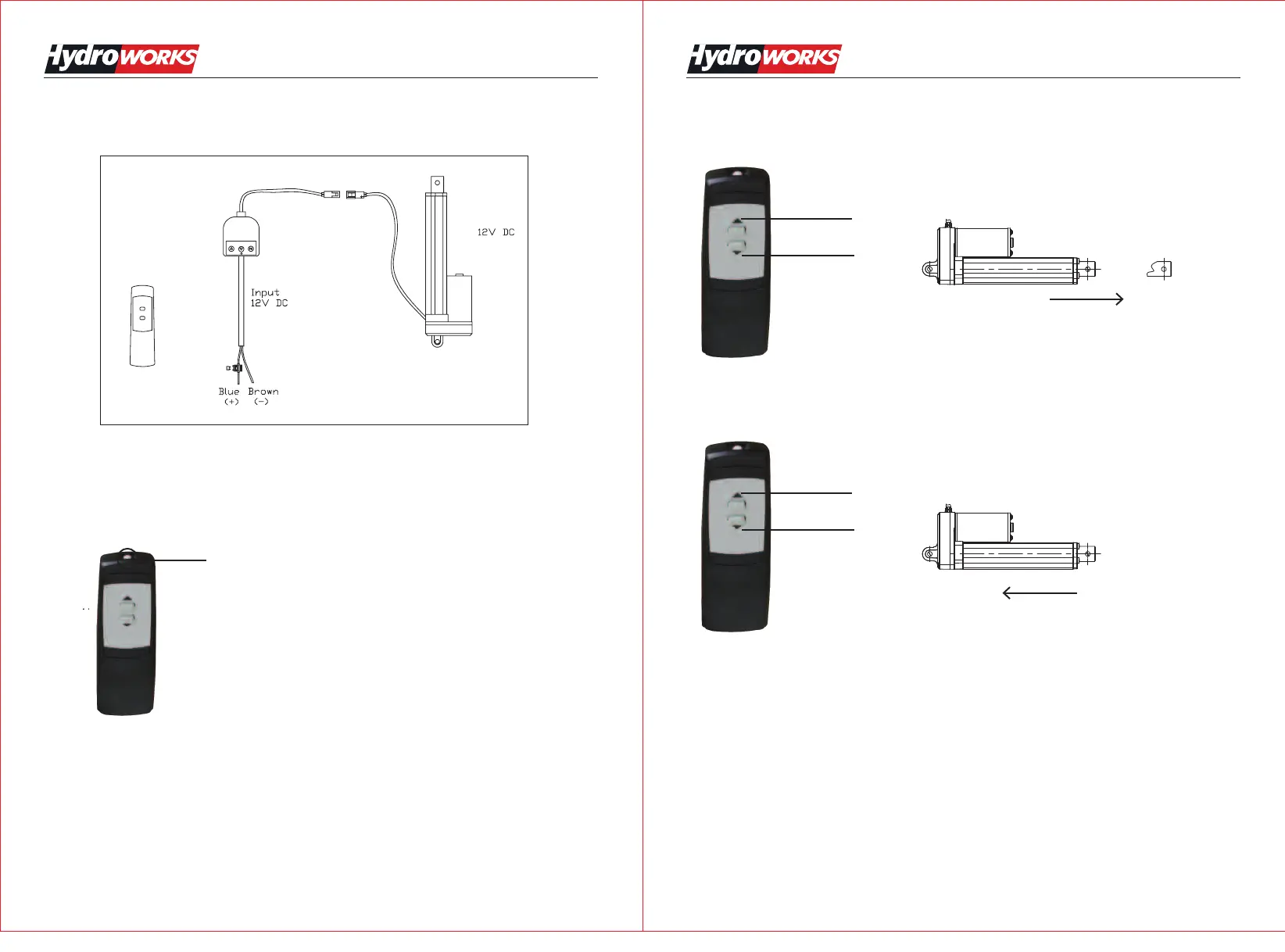
Programming The Wireless Remote Control:
How to pair the wireless remote control with the wired base unit?
1. Press the "FC" button on the wired base unit when the power is on. The wired base units green
light will flash showing it is ready to be paired with the wireless remote control.
2. Press the white button on the top of the wireless remote control (See picture below) until the
green light on the wired base unit stops flashing.
3. The wireless remote control is now ready to use.
Size:145x210mm REV 09/16/15
10 Amp
Fuse
Wireless Remote Control
Wired Base Unit
12V DC 2-Button Hand-Held Wireless Remote Control
Instruction Manual
Operation:
1-Press the A button to extend the actuator
2-Press the B button to retract the actuator
A
B
A
B
Extended
Retracted
white button


 To Next Page