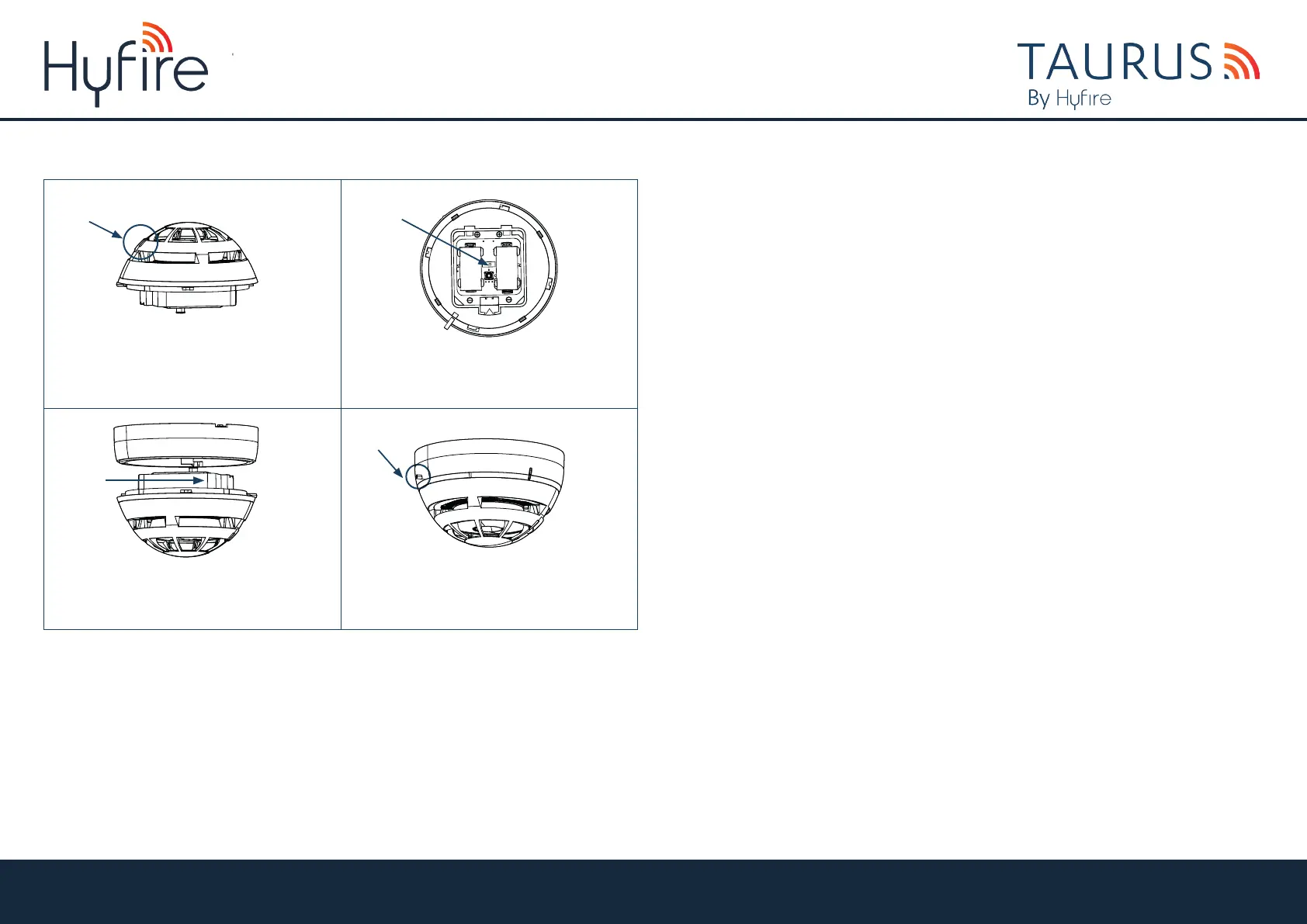
• Move the switch in the base of the detector
to position 1.
• The detector’s LED will blink few seconds green
and then signal alternatively green / red 4 times.
• Ensure you replace the battery cover as this forms
part of the detectors anti tamper protection and refit
the detector locating it into the base twisting clockwise.
The detector’s LED will signal 4 times red.
SWITCH 1
9
7 8
LOCK
LED
• Secure the screw on the base to ensure there is
no unwanted removal using a M3 allen key.
• Put the QR code available in the box either on
the system map or on the dedicated pages at the end
of translator or expander manual.
10
SCREW
TAU-TH-01
HYFIRE TAURUS HEAT DETECTOR
QUICK START GUIDE
Unit B12a, Holly Farm Business Park, Honiley, Warwickshire, CV8 1NP
T: +44 (0)1926 485282, E: info@hyfirewireless.co.uk, W: www.hyfirewireless.com


 To Previous Page