ENGLISH
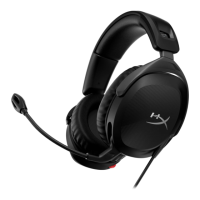
Overview
A - Swivel to mute microphone
B - Status LED
C - Power button
D - USB-C charge port
E - Volume wheel
Using the Headset
1. Connect the wireless adapter to your device 2. Power on the headset
Setting up with PC
Right click speaker icon > Select Open Sound settings > Select Sound
control panel
Playback Device
Set Default Device to “HyperX Cloud Stinger 2 Wireless”
Recording Device
Set Default Device to “HyperX Cloud Stinger 2 Wireless”
Setting up with PlayStation 5
Go to the home screen and select Settings > Sound
Microphone
• Input Device: USB Headset “HyperX Cloud Stinger 2 Wireless”
Audio Output
• Output Device: USB Headset “HyperX Cloud Stinger 2 Wireless”
• Output to Headphones: All Audio
Status LED
*Battery level indication
*The status LED will automatically turn o to conserve battery life
Power button
Power on/o - Hold button for 3 seconds to power headset on/o
Volume wheel
Scroll up and down to adjust volume level.
Swivel to Mute Microphone
Charging
It is recommended to fully charge your headset before rst use.
F - USB wireless adapter
G - Wireless pairing pin hole
H - Wireless status LED
I - USB-C charge cable
HyperX NGENUITY Software
Go to hyperxgaming.com/ngenuity to download the NGENUITY
software. NGENUITY software features include:
• DTS Headphone:X
• Adjustable EQ settings
• Battery level indicator
Questions or Setup Issues?
Contact the HyperX support team or see the user manual at:
hyperxgaming.com/support/headsets
WARNING: Permanent hearing damage can occur if a headset is used at
high volumes for extended periods of time.
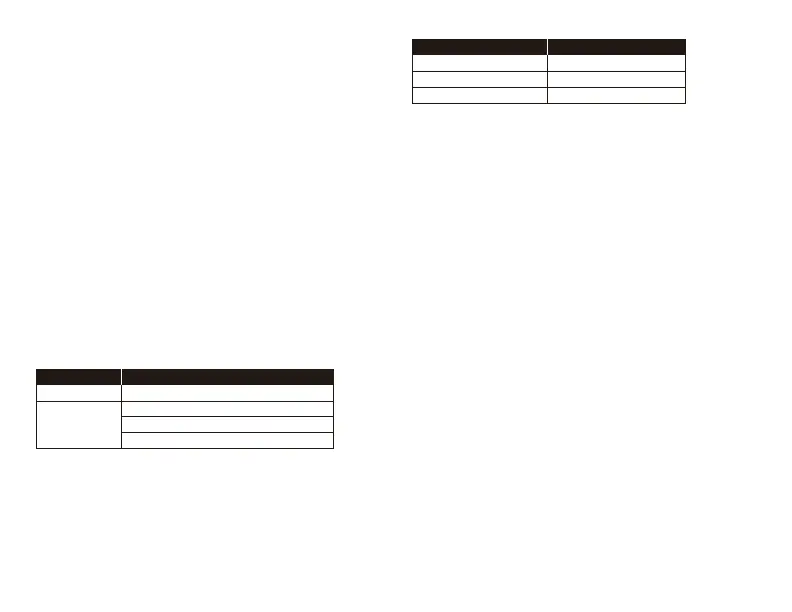
STATUS LED
Slow breathing green
90% – 100%: Solid green for 5s
10% – 90%: Blinking green for 10s
Searching
Connected*
< 10%: Blinking red for 10s
STATUS LED CHARGE STATUS
Solid green
Breathing green
Fully Charged
10 % - 99 %
Breathing red< 10 %


 To Next Page