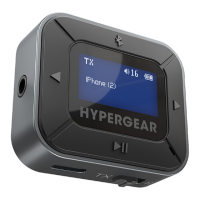
INSTRUCTIONS – TX Mode
Pairing Your Audio Device
1. On your audio device (wireless earbuds,
headphones, speaker, etc.), activate the
Bluetooth
®
pairing mode. See your device’s
user manual for instructions.
2. Long press the button for 2 seconds
to turn on your IntelliCast Flight. It will
automatically begin searching for available
devices.
3. Once your audio device’s name appears on
the screen, press the button to select
and pair.
NOTE: It may take up to 15 seconds for your
device’s name to appear. If it does not appear:
Long press the button for 2 seconds to
reset the search.
Ensure the Mode Switch
is set to TX.


 To Next Page